Wait For
RCA.Activities.PCOMM.WaitFor
Description
Pauses execution until a specific terminal state (such as input ready, system available, application available, screen transition, etc.) is met.
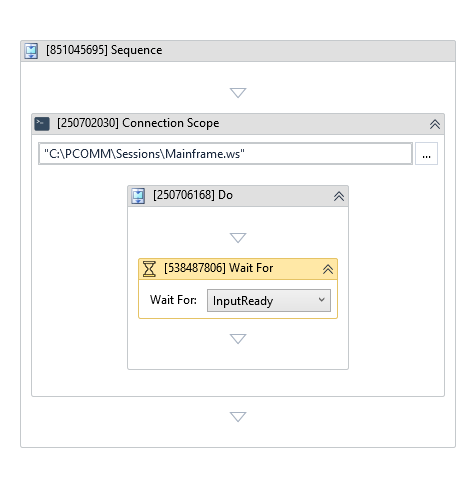
(* is mandatory)
Properties
Input
- Reset Screen (Boolean) - If selected, clears or resets the emulator screen before starting the wait.
- Timeout (Int32)* - The maximum time (in milliseconds) to wait for the specified condition to be met before throwing an error.
- Variant Index (Int32) - The 1-byte hexadecimal position of the Operator Information Area (OIA) to monitor.
- Wait Type (WaitType)* - The type of emulator state or event to wait for. Options include:
InputReady- Waits until the terminal is ready to accept keyboard input.SystemAvailable- Waits until the PCOMM system becomes available.AppAvailable- Waits until the target application is available.Transition- Waits for a screen transition to occur.CancelWaits- Cancels any active wait operations.
Misc
- Public (Checkbox) - If selected, logs the execution details and variables of this activity. Consider data security requirements before enabling this option, as sensitive details could be written to the logs.
- Display Name (String) - The name displayed for this activity in the designer panel. You can edit this name to organize and structure your workflow better.
E.g: [3424325] Wait For