Advanced Filter in Data Service
Step 1: Navigate to the Data tab of the desired entity in Data Service.

Step 2: To apply more filters on your results list, click Advanced Filter. The pop-up Advanced Filter will open
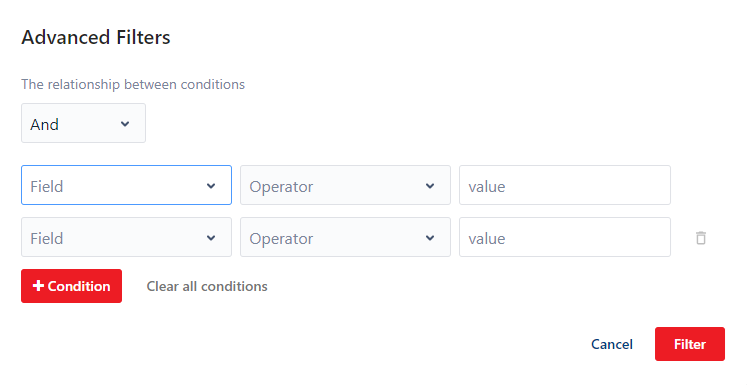
Step 3: User Advanced Filter
-
Select the operator:
- AND - to return the entries that match all conditions
- OR - to return the entries that match any of the conditions
-
Define the conditions:
- Field - select the entity field to apply your condition to.
- Operator - select the condition.
- Value - enter the value for your condition. The value must be of the same type as the field type. For example, use strings for Text fields, use integers for Number fields.
-
Click + Condtion to add as many conditions as you need.
To remove a conditions, click the corresponding Delete icon or if you want to clear all filter, click Clear all conditions button
-
Click Filter to rerun the search. The page refreshes with the new results.