Set Up Users and Permissions
Administrators can create new users, limit data access by branch or department, and assign roles based on each user responsibility.
Add a Branch
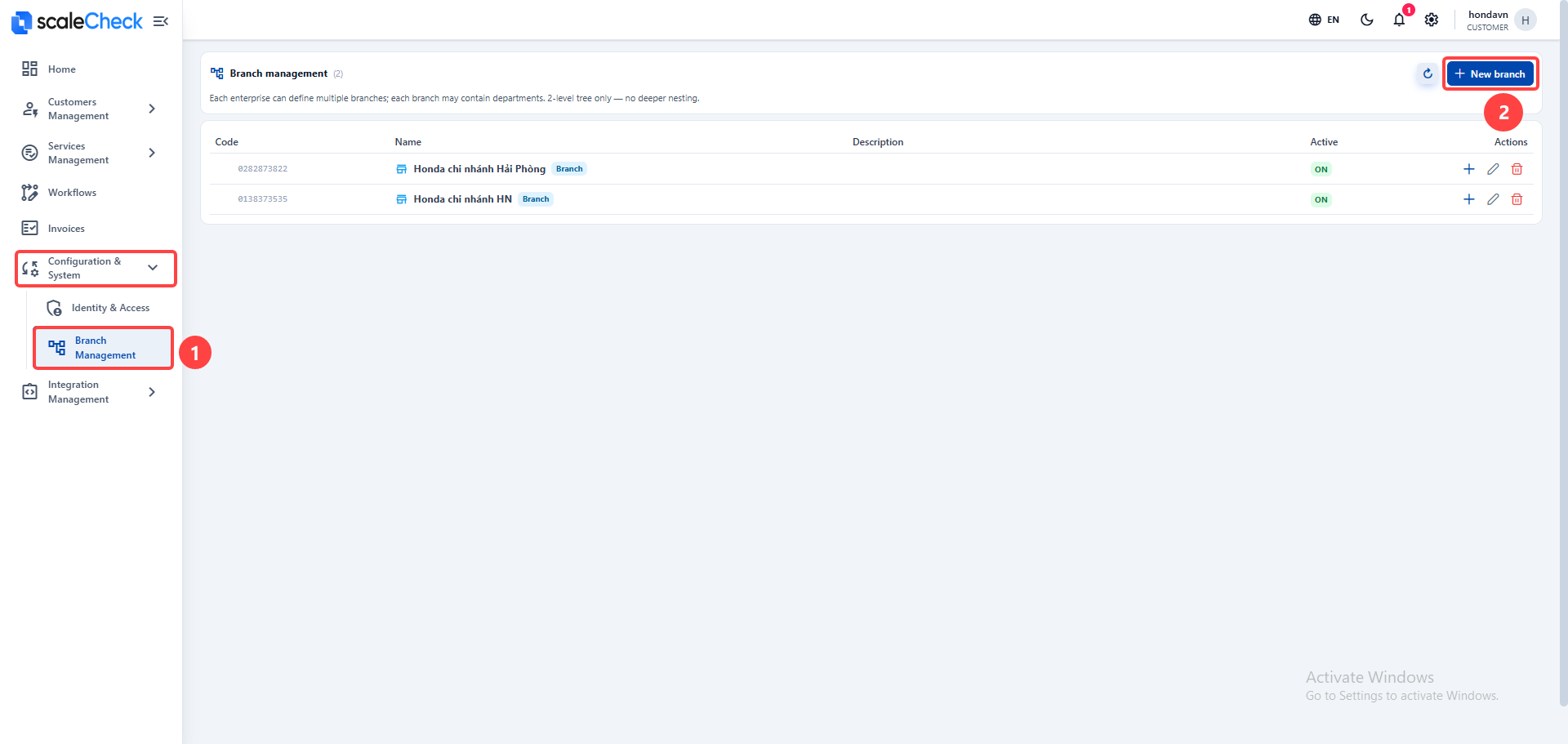
- Go to Branch Management.
- Select Add Branch.
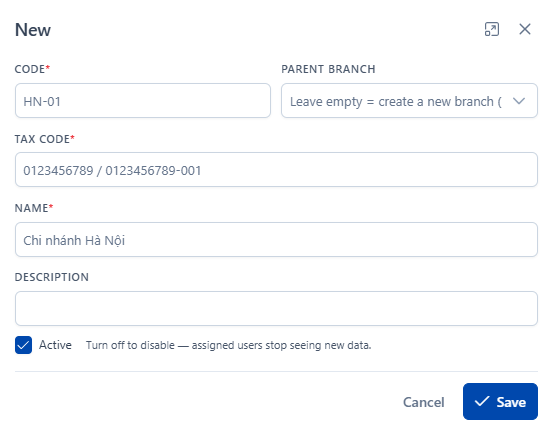
- Enter the branch information and click Save.
Permissions
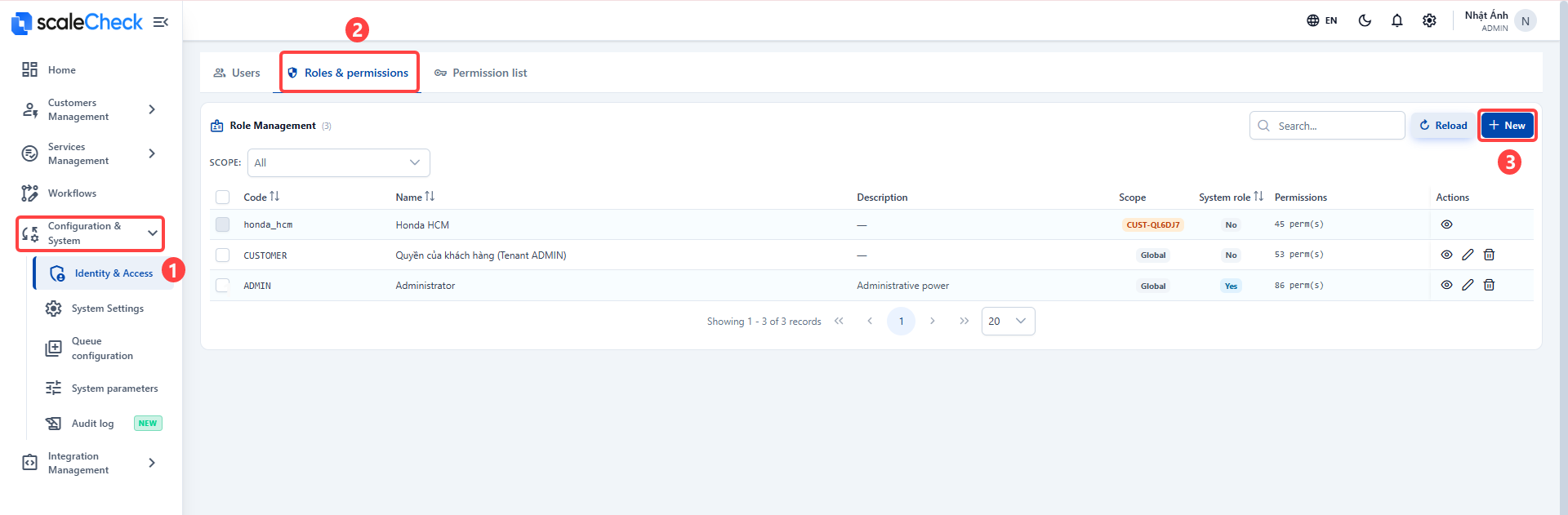
- Open the Roles & Permissions tab.
- Click Add New if your business needs a custom role.
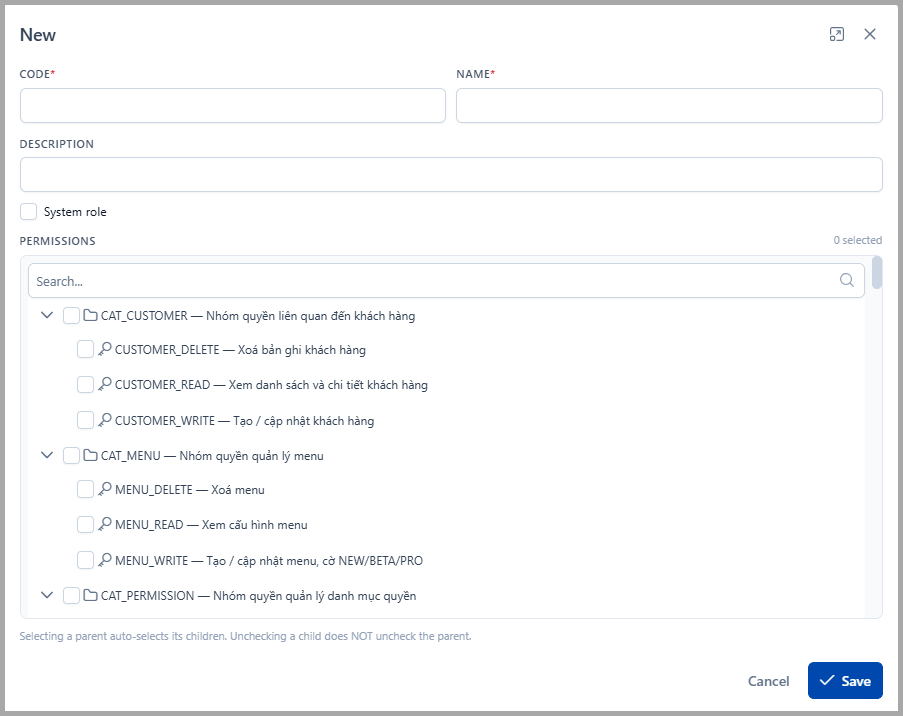
- Enter a name and assign the permissions that match the tasks of the user group.
- Click Save to finish.
Create a User
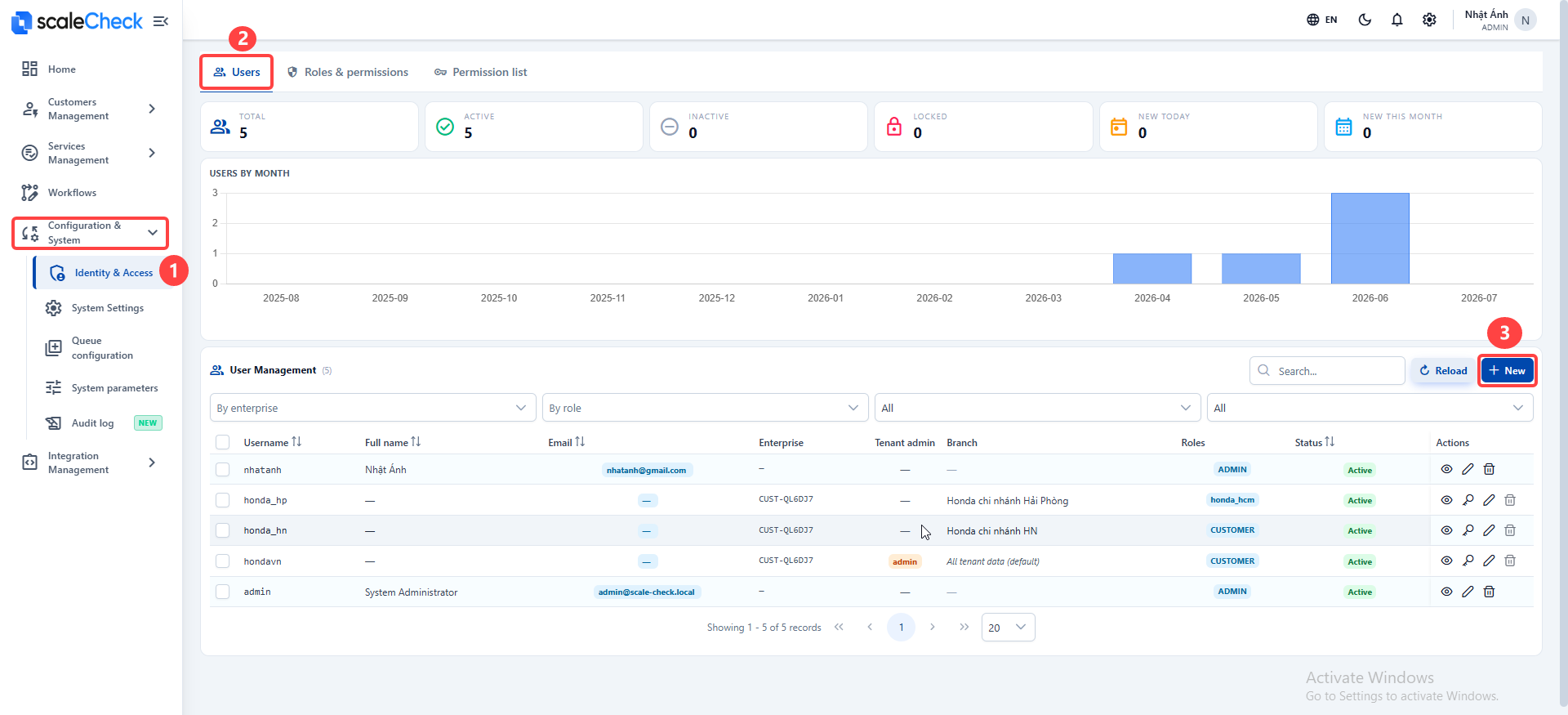
- Go to System Settings > Permissions & Users.
- On the Users tab, click Add New.
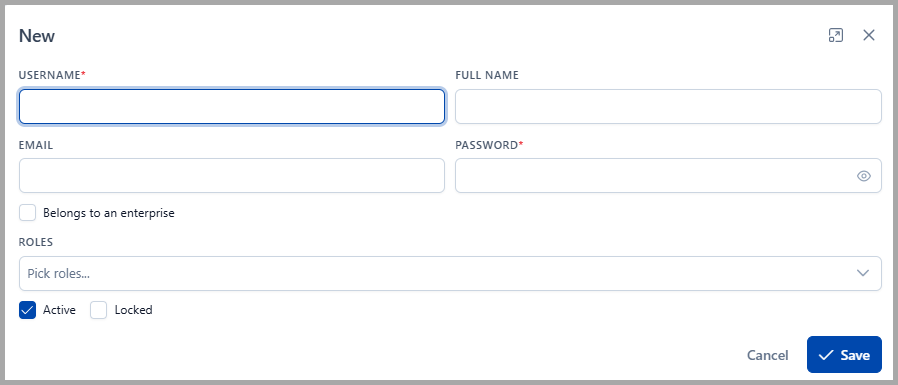
- Enter the user information.
- If the user is a company administrator, turn on Company Admin.
- Select a Branch / Department if you want to limit the user data access.
- Select the appropriate role.
- Click Save to finish.
Next Steps
Once you have enough users in the system, you can start Configuring Processing Flows to process invoices.