Get Text
RCA.Activities.PCOMM.GetText
Description
Extracts a text string from the PCOMM screen based on the specified Row, Column, and Length.
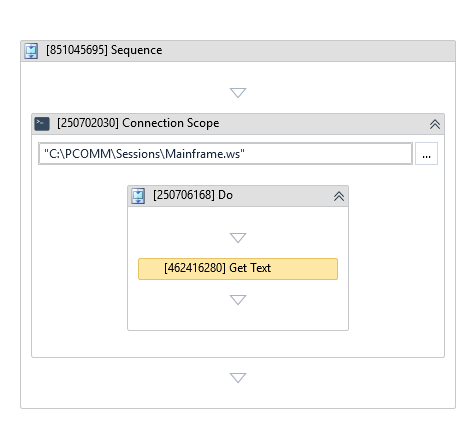
(* is mandatory)
Properties
Input
- Row (Int32) - The row coordinate on the emulator screen from which the text extraction starts.
- Column (Int32) - The column coordinate on the emulator screen from which the text extraction starts.
- Length (Int32) - The number of characters to extract starting from the specified Row and Column coordinates.
- Reset Screen (Boolean) - If selected, clears or resets the emulator screen before extracting the text.
Option
- Wait For String (String) - A specific text string to wait for on the screen before starting the extraction. This ensures the correct screen is loaded before reading the text.
Output
- Output Text (String) - The String variable that stores the extracted text. This variable can be reused in subsequent activities in your workflow.
Misc
- Public (Checkbox) - If selected, logs the execution details and variables of this activity. Consider data security requirements before enabling this option, as sensitive details could be written to the logs.
- Display Name (String) - The name displayed for this activity in the designer panel. You can edit this name to organize and structure your workflow better.
E.g: [3424325] Get Text