Do While
System.Activities.Statements.DoWhile
Description
This activity allows you to create a loop that executes a series of activities as long as a condition is met.
The activities in the Body are executed first, and then the condition is evaluated. The loop continues until the condition is no longer satisfied.
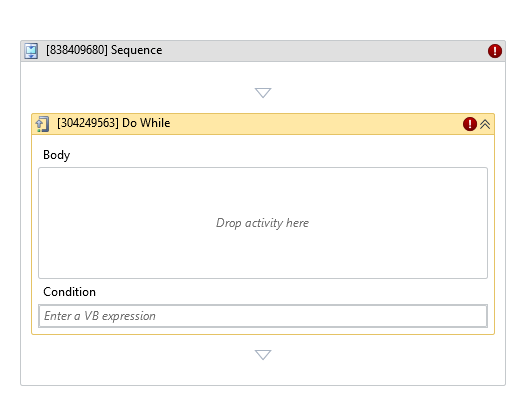
* indicates required fields.
In the Body of Activity
- Body: A container where you can add activities to be executed in each iteration.
- Condition (Boolean)*: The condition evaluated after each execution of the Body and before the next iteration.
Example:var_input < 15
Properties
Misc
- Condition (Boolean)*: The condition evaluated after each iteration to determine whether the loop continues.
Example:var_input < 15 - Display Name (String): The name of this activity. You can edit it to better organize and structure your workflow.
Example:[402352067] Do While - Public (Checkbox): If selected, the activity data will be logged. Consider data security before using this property.