Upload Object
RCA.Activities.GoogleCloud.GCPUploadObject
Description
Uploads a local file as a Google Cloud Storage object.
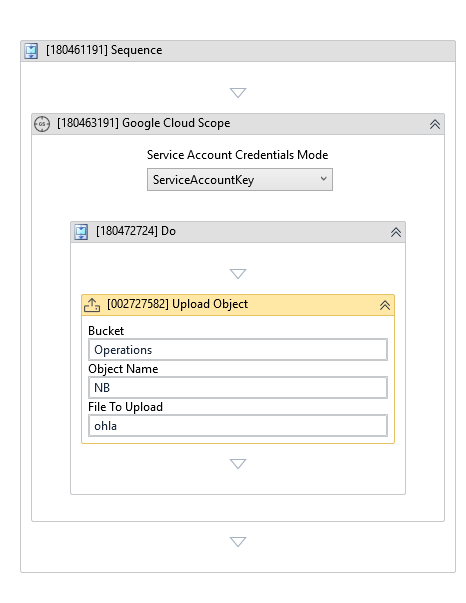
(*For mandatory)
In the body of the activity
- Bucket - The destination bucket.
- Object Name - The object name to create.
- File To Upload - The local file path to upload.
Properties
Input
-
Bucket:
InArgument<GCPBucket>* - The destination bucket. -
Object Name:
InArgument<String>* - The object name to create. -
File To Upload:
InArgument<String>* - The local file path to upload. -
Content Type:
InArgument<String>- The object content type. -
Timeout:
InArgument<Nullable<Int32>>- The upload timeout in seconds.
Options
-
Storage Class:
InArgument<Storage>- The object storage class. -
Metadata:
InArgument<DataTable>- Object metadata. -
Predefined Acl:
InArgument<String>- The predefined ACL to apply to the object. -
Customer Managed Key:
InArgument<String>- The customer-managed encryption key.
Misc
-
Public (Checkbox) - Check if you want to public the activity. Remember to consider data security requirement before using this property.
-
Display Name (String) - The name of this activity. You can edit the name of the activity to organize and structure your code better. E.g: [3424325] Open Window
Output
- Object:
OutArgument<GCPObject>- The uploaded object.