If
System.Activities.Statements.If
Description
This activity allows you to perform a simple decision based on a condition (True/False).
It consists of a condition (IF ) and two branches:
- THEN: Executed if the condition is True
- ELSE: Executed if the condition is False
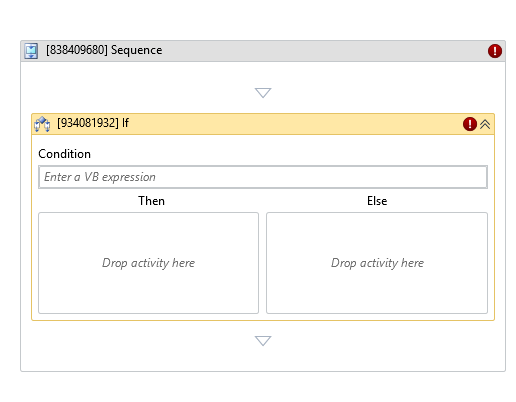
* indicates required fields.
In the Body of Activity
- Condition (Boolean)*: The condition to evaluate.
Example:varA = varB - Then: Activities to execute if the condition is True.
- Else: Activities to execute if the condition is False.
Properties
Misc
- Display Name (String): The name of this activity. You can edit it to better organize and structure your workflow.
Example:[392071310] If - Public (Checkbox): If selected, the activity data will be logged. Consider data security before using this property.
- Condition (Boolean)*: The condition to evaluate before executing one of the two branches.
Example:varA = varB