Switch
System.Activities.Statements.Switch
Description
Enables you to select one option among multiple choices based on a specified expression.
For example, when comparing two Int32 variables A and B, there can be three possible outcomes:
- A > B
- B > A
- A = B
You can use the Switch activity to define different actions for each outcome.
The expression is typically an integer, but you can change the type in the properties.
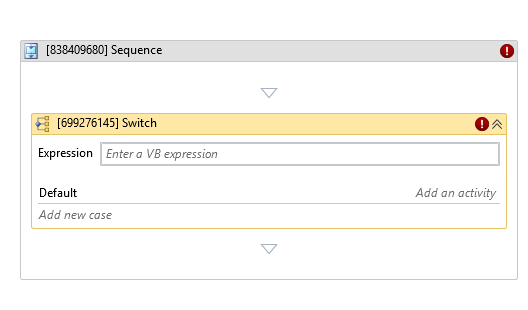
* indicates required fields.
In the Body of Activity
- Expression*: The value or condition used to determine which case to execute.
- Cases / Default: Define different cases and corresponding actions.
Default is executed if no case matches the expression.
Properties
Misc
- Display Name (String): The name of this activity. You can edit it to better organize and structure your workflow.
Example:[406493348] Switch - Public (Checkbox): If selected, the activity data will be logged. Consider data security before using this property.
- Expression*: The value or condition used to determine which case to execute.
- Type Argument (Dropdown List): Specifies the data type of the expression.