Trigger
Trigger can help you to run Bot automatically with some conditions/
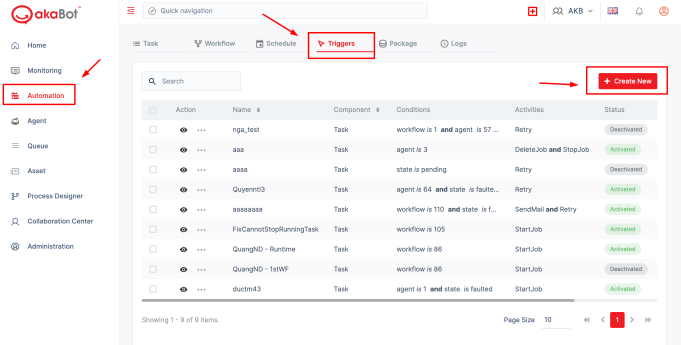
S1: Click in Create Newbutton at the top right corner of the Triggerpage to create a new trigger.
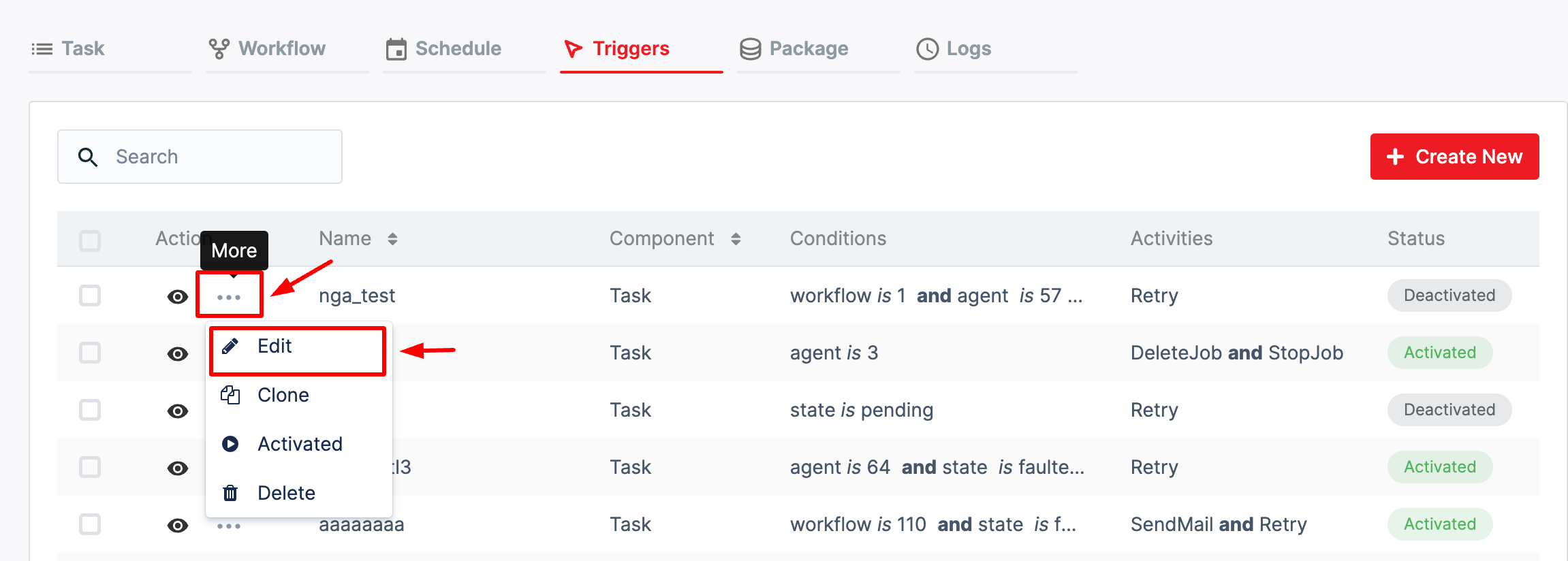
If you already have a Trigger, you can clic the 3 dots buttin at the trigger you want, click Edit button to update trigger as your wish.
S2: A form will appear for you to fill in. After fulfillment, please click Save to save your work.
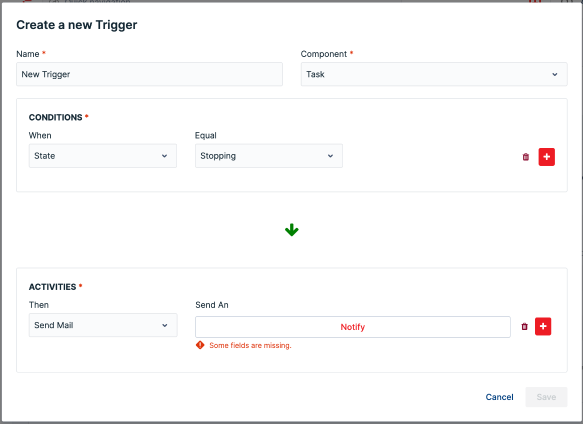
| Field | Description |
| Name | Enter the name of trigger |
| Component | Choose option in the dropdown list |
| Condition (click in “plus” button to add, or “Trash bin icon” button to delete) | |
| When | Choose in the dropdown list: - State: Status of task - Agent - Workflow Then choose a value in the “Equal box” dropdown list |
| And | Choose in the dropdown list: - State: Status of task - Agent - Workflow Then choose a value in the “Equal box” dropdown list |
| Activities (click in “plus” button to add, or “Trash bin icon” button to delete) | |
| Then | Choose in the dropdown list: - Send Mail - Start Task - Stop Task - Delete Task - Start Process - Stop Specific Task - Retry - Schedule |
| And | Choose in the dropdown list: - Send Mail - Start Task - Stop Task - Start Process - Stop Specific Task - Delete Task - Retry - Schedule |