Check In File
RCA.Activities.Office365.CheckInFile
Description
Check in a checked-out document, which makes the version of the file available to others.
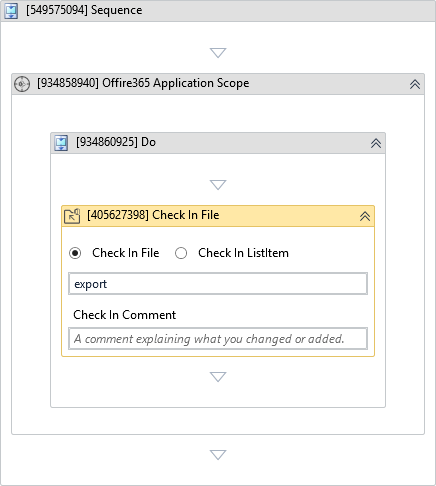
(*For mandatory)
In the body of the activity
- File To Check In - File you want to check in.
- ListItem To Check In - List item you want to check in.
Properties
Input
-
File To Check In:
InArgument<DriveItem>- File you want to check in. You can use the Get File/Folder or Find Files And Folders activity to get the file. -
Check In Comment:
InArgument<String>- A comment explaining what you changed or added. -
ListItem To Check In:
InArgument<Office365SharepointListItem>- List item you want to check in. You can use the For Each List Item activity to get the ListItem.
Misc
-
Public (Checkbox) - Check if you want to public the activity. Remember to consider data security requirement before using this property.
-
Display Name (String) - The name of this activity. You can edit the name of the activity to organize and structure your code better. E.g: [3424325] Open Window