Configure akaBot Center to use Vault
1. Prerequisites
-
Windows OS.
-
akaBot Center v2.2.x.x or newer version.
-
HashiCorp Vault software at link https://releases.hashicorp.com/vault
2. Install akaBot Center
Follow the guideline in this link to install akaBot Center Instruction
3. Install and Configure Vault
3.1. Install HashiCorp Vault
Step 1: Download Vault 1.8.8 from https://releases.hashicorp.com/vault/1.8.8/
Step 2: Extract the package to *C:\vault*
Step 3: Add Vault to PATH environment variable
setx PATH "%PATH%;C:\vault"
Step 4: Verify installation using command:
vault version
Step 5: Create configuration file C:\vault\config.hcl with content below:
storage "file" { path = "C:/vault/data" }
listener "tcp" { address = "127.0.0.1:8200" tls_disable = 1 }
ui = true
Step 6: Start Vault server:
vault server -config=C:\vault\config.hcl
Step 7: Initialize Vault:
set VAULT_ADDR=http://127.0.0.1:8200
vault operator init
Step 8: Unseal Vault using unseal keys:
vault operator unseal (run 3 times with different keys)
Step 9: Login using root token:
vault login
3.2. Configure Vault and add some credentials.
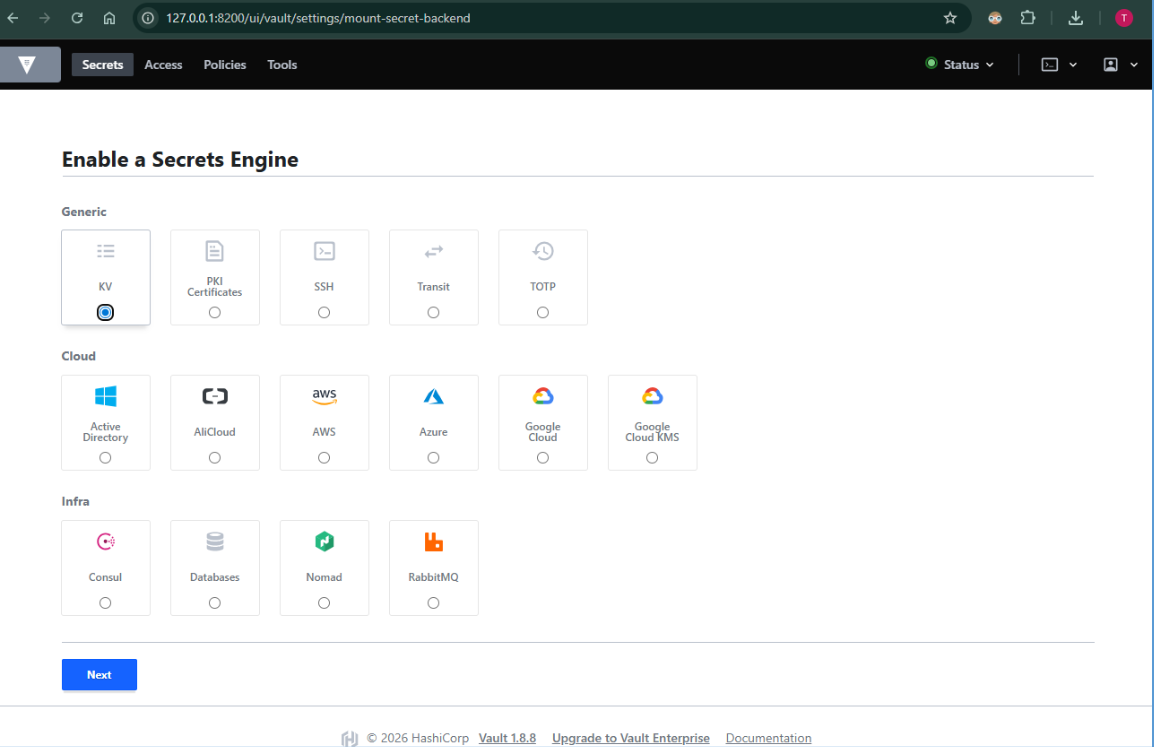
Step 1: Enable KV secret engine:
vault secrets enable -path=secret kv-v2
Step 2: Add sample credential:
vault kv put secret/app/dev/db Username=dbuser Password=dbpass123
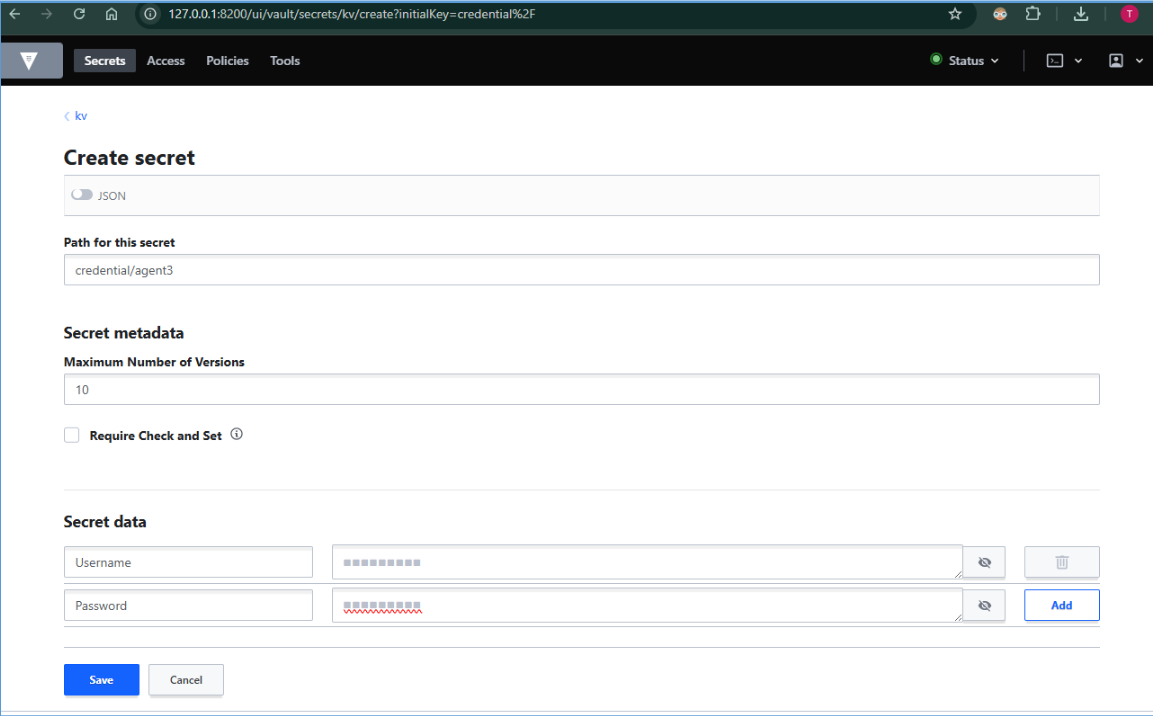
Step 3: Verify credential:
vault kv get secret/app/dev/db
Step 4: Enable AppRole authentication:
vault auth enable approle
Step 5: Create role:
vault write auth/approle/role/akabot token_policies="default" token_ttl=1h token_max_ttl=4h
Step 6: Get Role ID and Secret ID:
vault read auth/approle/role/akabot/role-id
vault write -f auth/approle/role/akabot/secret-id
4. Configure akaBot Center to use Vault
-
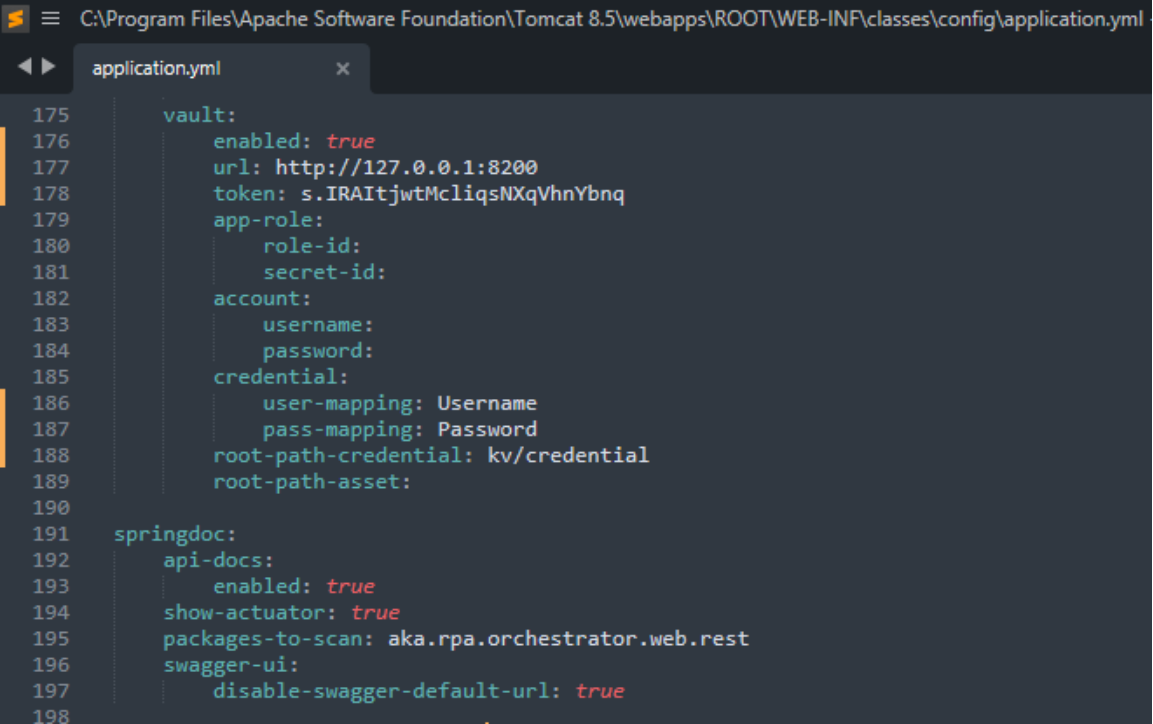
Open and update application.yml Path: C:\Program files\Apache Software Foundation\Tomcat 8.5\webapps\ROOT\WEB-INF\classes\config\application.yml) with Vault configuration:
vault:
enabled: true
url: http://127.0.0.1:8200
app-role:
role-id: <role-id>
secret-id: <secret-id>
credential:
user-mapping: Username
pass-mapping: Password
root-path-asset: secret/data/app/dev
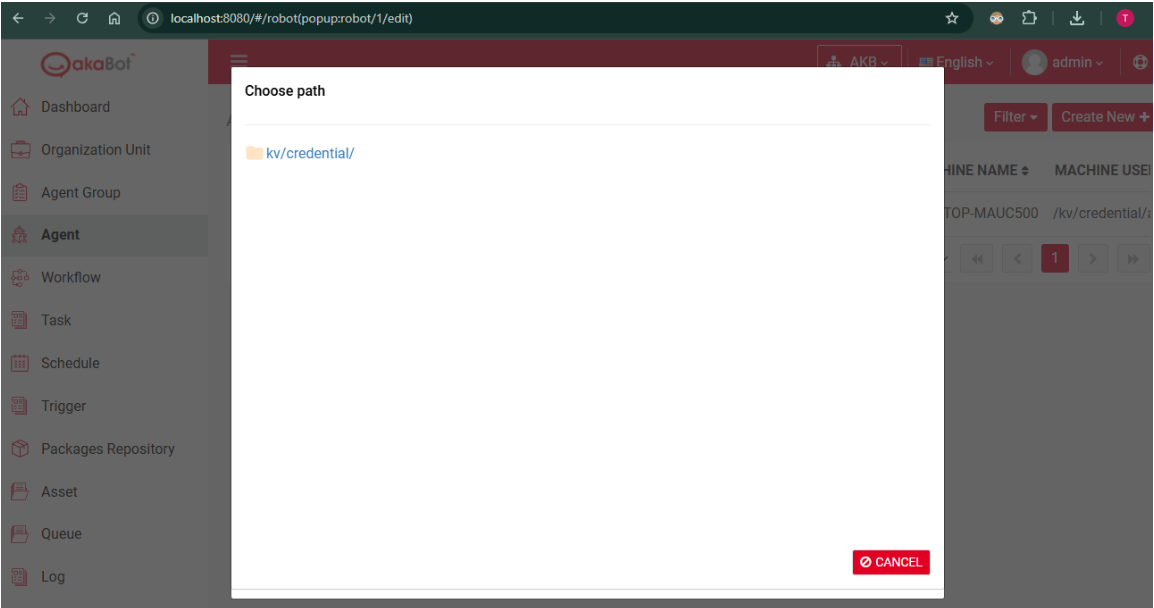
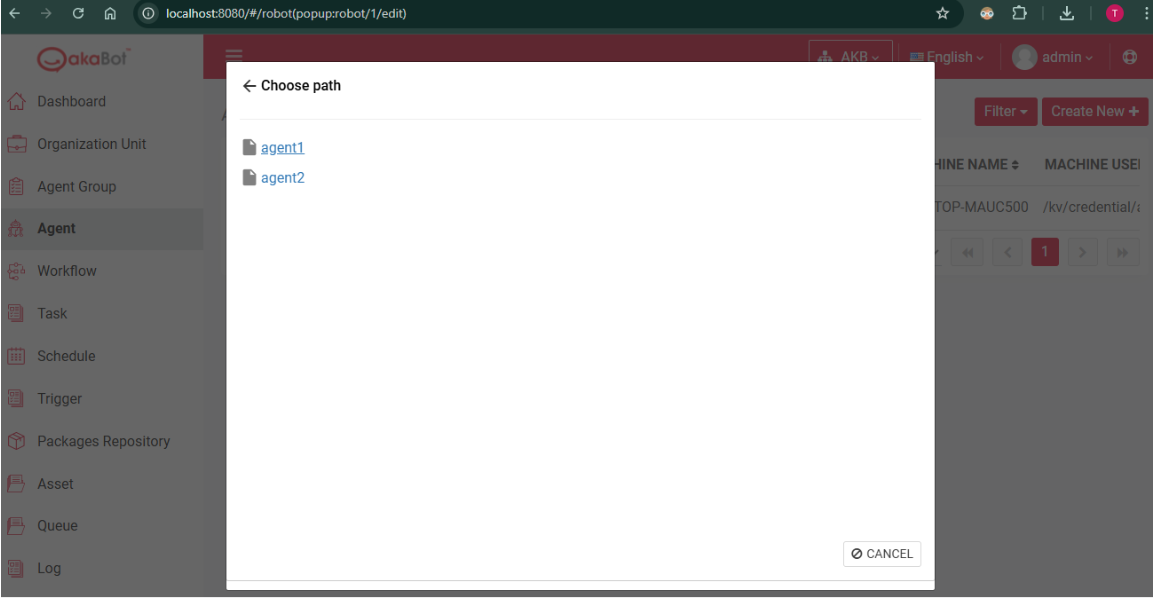
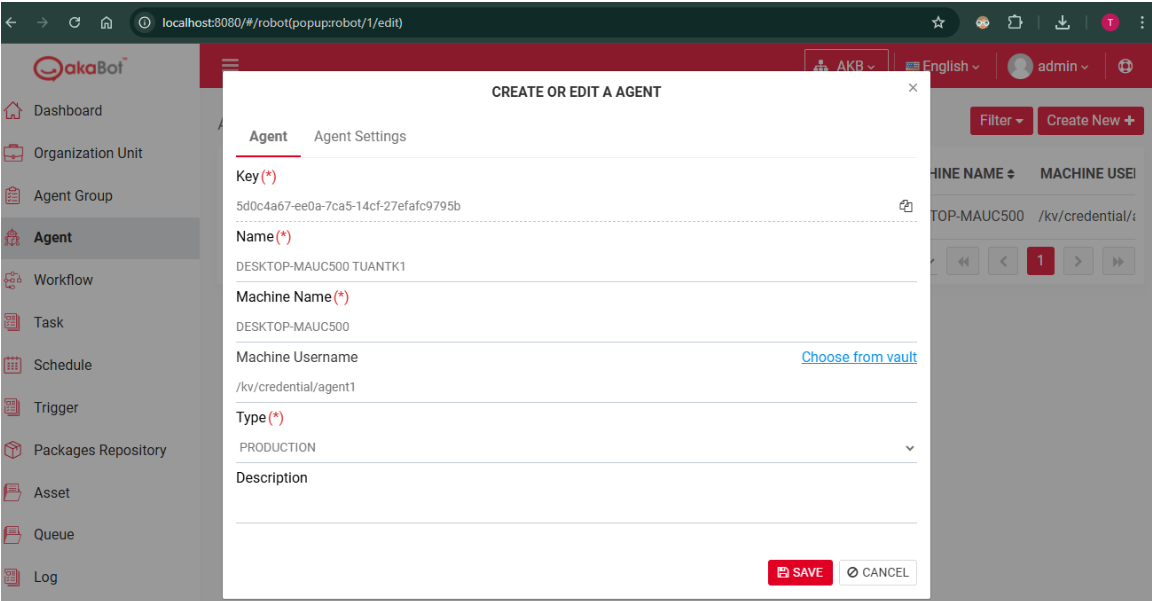
- Access akaBot (local host) and navigate to Agent tab
- Click "Create new" and choose path then click "Save"