Webhook
Webhooks allow you to integrate your akaBot Platform with your whole application ecosystem more effectively. You may subscribe to Center events and forward them to any external DCM, BPM, or CRM solution to notify various users, such as when a new queue item is ready for processing, a trigger fails, or a process is changed.
Notes: Your application must be web-hooked and compatible with akaBot.
After selecting the Webhook tab, the system displays the following page.
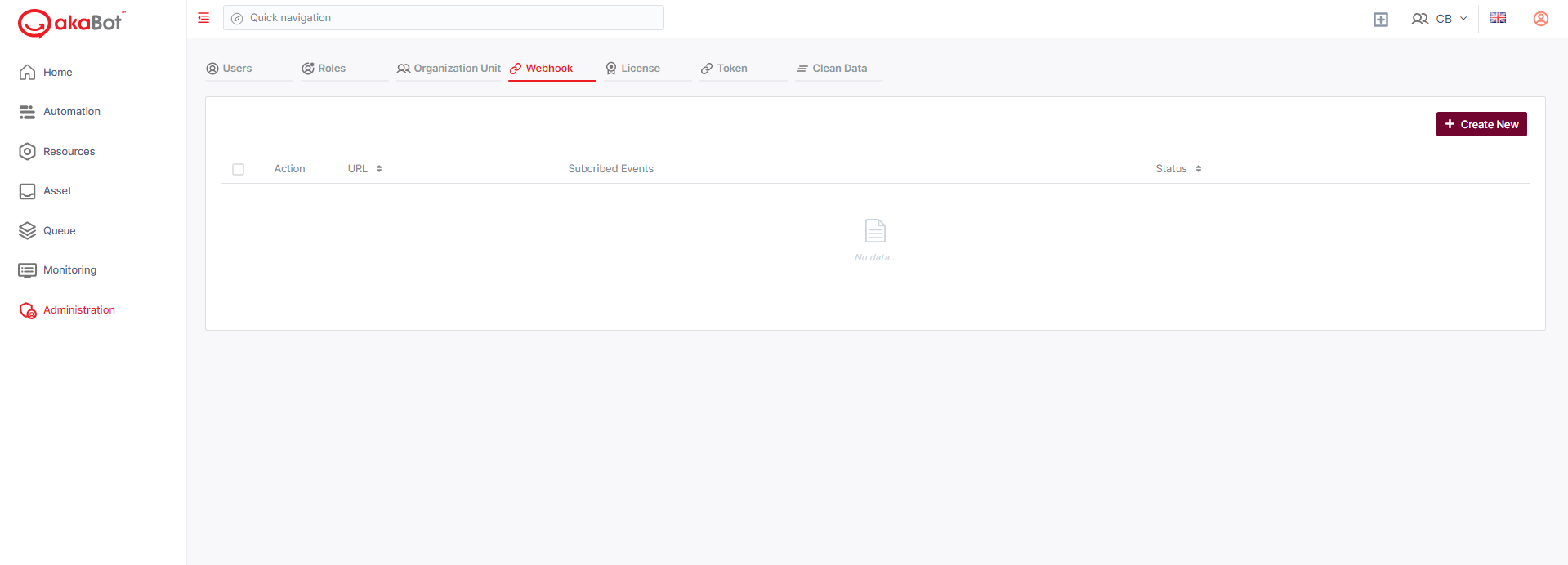
| No | Column | Description |
|---|---|---|
| 1 | Action | Available actions to manage the Webhook. Includes: Edit: allows users to edit a particular webhook. Delete: allows users to delete selected webhook |
| 2 | URL | The URL of your application |
| 3 | Subscribed Event | The events will be forwarded to your application. |
| 4 | Enable | The status of the webhook. There are two possible statuses: Enabled or Disabled |
Create/Edit a Webhook
To create a webhook
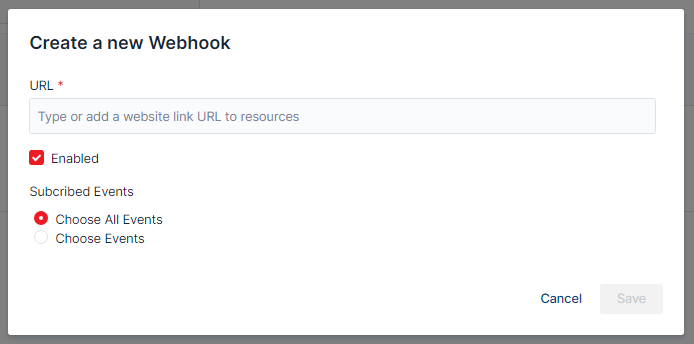
| No | Column /Label | Description | Type | Maximum | Is Mandatory? | Input Requirement |
|---|---|---|---|---|---|---|
| 1 | URL | Enter the url of the system that you want to give rights to subscribe and listen to akabot center | String | 1000 char | Yes | |
| 2 | Enabled | Tick this box if you want for this Webhook to work | Check Box | No | ||
| 3 | Choose All Events / Choose Events | Allow you to choose between send all events to your application or only send selected Events. | SingleChoice | Yes | ||
| 4 | Filter | Select the Events you want to forward to your application. You can choose multiple events from the list. | MultipleChoice | Yes | Only available if you select Choose Events option |