Activate
RCA.Activities.Common.Activate
Description
The Activate activity activates a specified UI element and brings its parent window to the foreground.
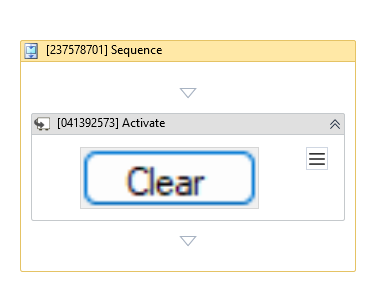
(* is mandatory)
In the body of activity
- Indicate on screen - Chooses the window or UI element to bring to the foreground.
Properties
Common
- Continue On Error (Boolean) - A Boolean variable has two possible values: True or False
- True: Allows the rest of the process to continue the execution even if an error occurs within the activity.
- False: Blocks the process from continuing the execution.
- Delay After (Int32) - Delay time (in milliseconds) after executing the activity. The default amount of time is 300 milliseconds.
- Delay Before (Int32) - Delay time (in milliseconds) before the activity begins performing any operations. The default amount of time is 200 milliseconds.
Input
- Target (Collapsible list):
- Element (UIElement) - Use the
UIElementvariable returned by another activity. This property cannot be used alongside the Selector property. - Selector (String) - Text property used to find a particular UI element or window when the activity is executed.
- Fuzzy Selector (String) - Allows matching UI elements with approximate or dynamic attributes.
- TimeoutMS (Int32) - The maximum amount of time (in milliseconds) to wait for the target element to be found before throwing an error. Default value: 30000 (milliseconds).
- Wait For Ready (Drop-down list) - Before performing the action, wait for the target to become ready:
- None: Does not wait for the target to be ready.
- Interactive: Waits until parts of the application are loaded.
- Complete: Waits for the entire application/page to be fully loaded.
- Element (UIElement) - Use the
Misc
- Display Name (String) - The name of this activity shown in the designer. You can edit the name of the activity to organize and structure your code better.
E.g.:[9238412] Activate