Productivity
This page allows you to make the best use of your Agents by tracking and monitoring Agent's activities on a Calendar.
a. View Agents' activities.
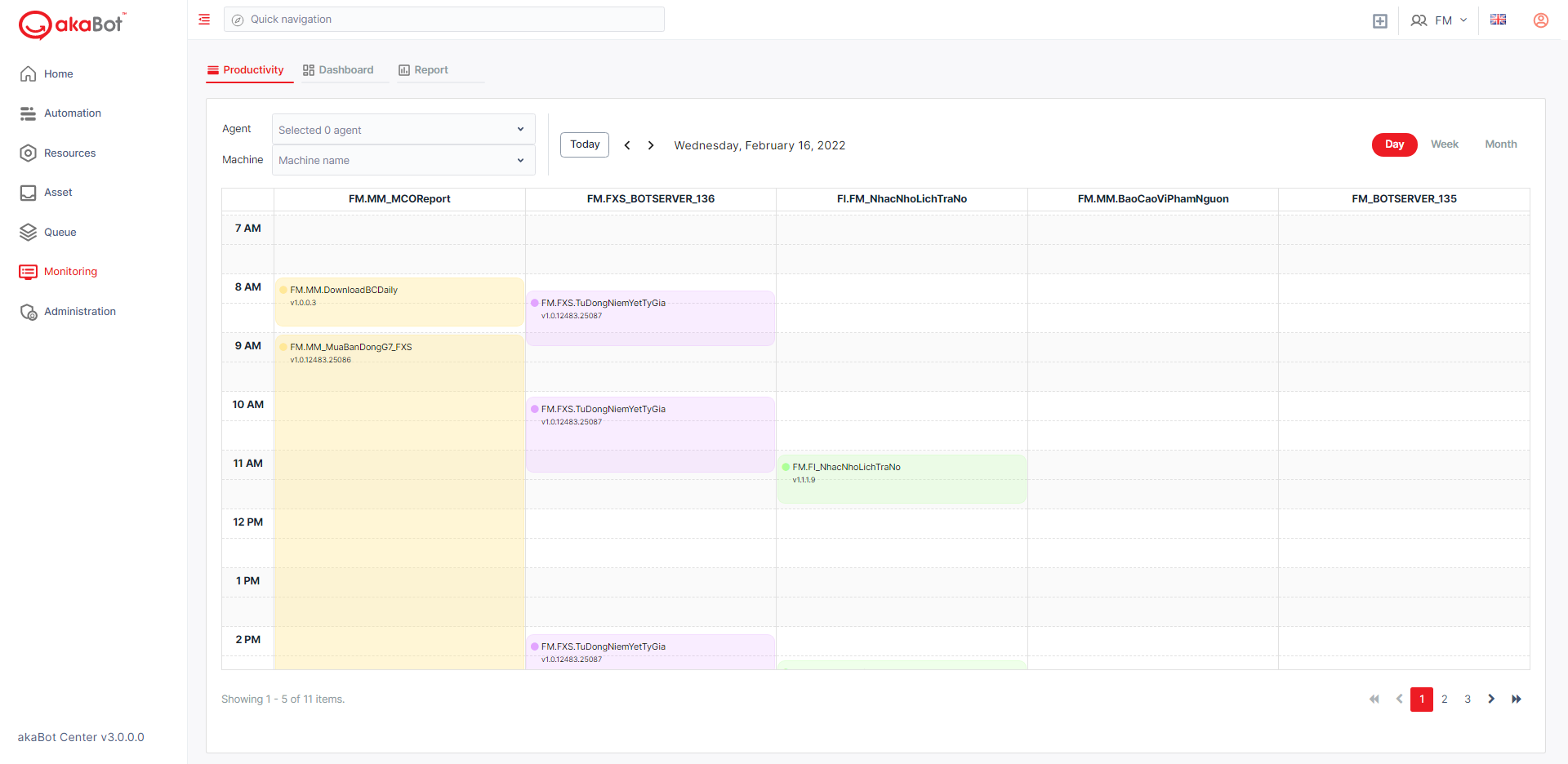
To view Agent's activities, please click Monitoring tab from the main menu. After clicking, you immediately see the view by week of all Agents' activities.
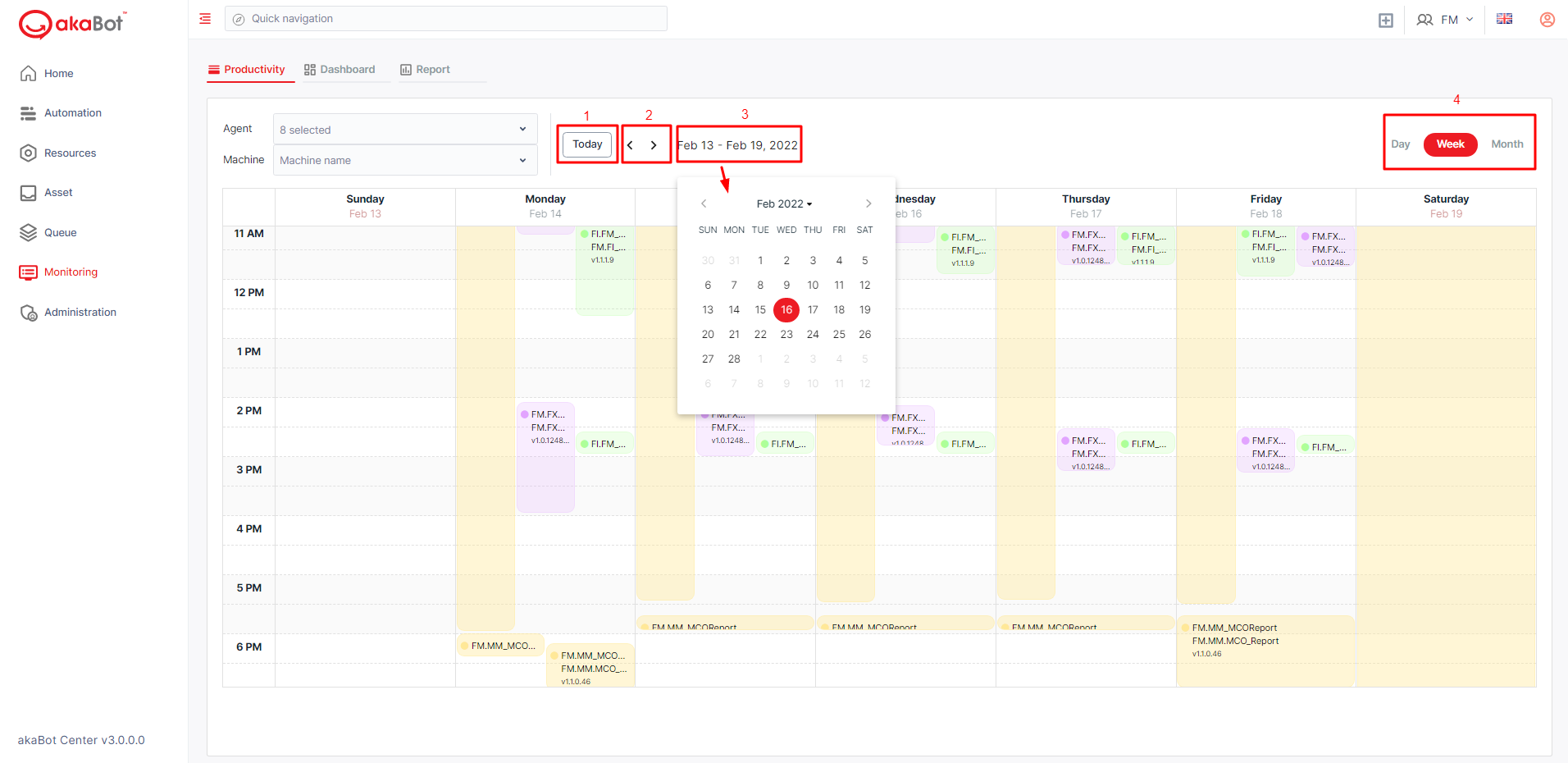
| No | Button | Description |
|---|---|---|
| 1 | Today | Back to the Today's activities view |
| 2 | Forward/Backward | Move to the day before/ the day after view |
| 3 | Month and date | If you would like to show the activities in a time you consider, just click on the Date and Month button, then a small calendar will show up for you to choose the time you want. |
| 4 | Day, week, month | change the view into Day/Week/ Month |
b. Filter Agents' Activities
You can view the exact activities of Agents you want by selecting Agents' name and machine name at the corner of the calendar.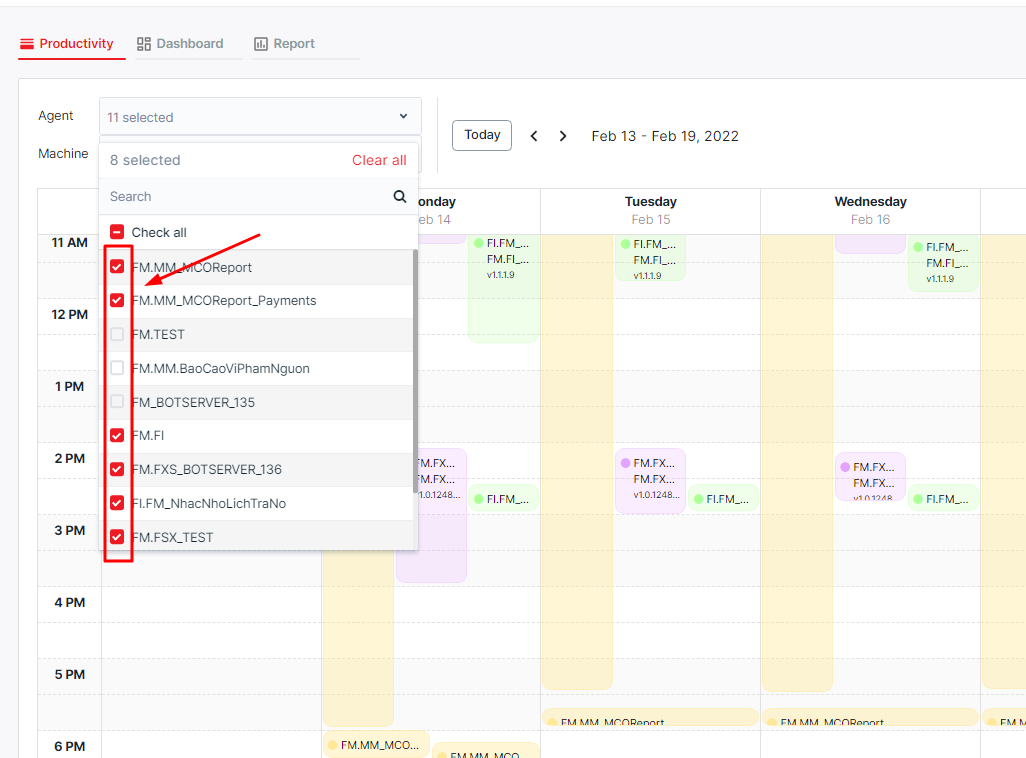
c. Create a schedule
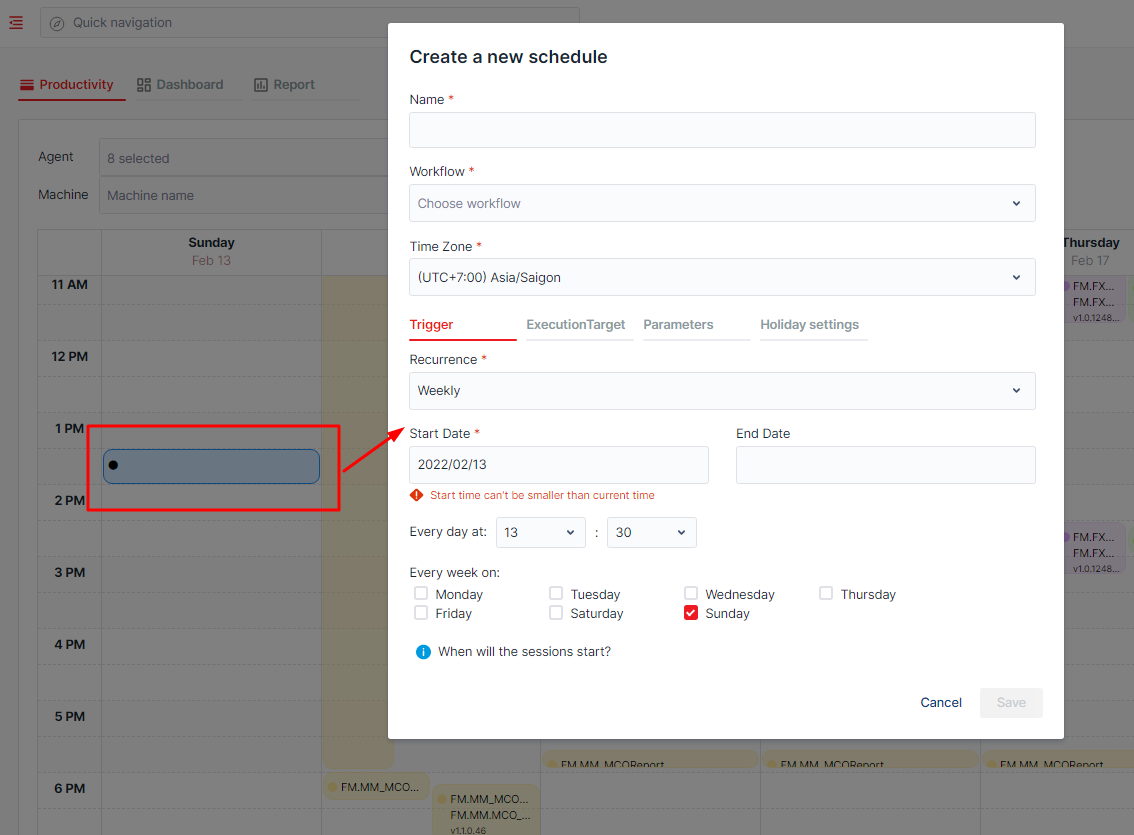
From here, you can see the free times of Agents. So you can quickly create a new schedule for an Agent by clicking on free time area on the calendar. Then, a form will show up for you to enter the necessary information. After clicking "Save" button, the new schedule will show up on the calendar.