Report
Report provides activity statistic information about the Agents & Workflowswhich are currently being connected to Center. Here, you can get information such as the number of successful tasks, a number of tasks that are running, stopped, or faulted. You can also check the total number of task that was run by the selected Agent or Workflows
You can get your reports by Agent and Workflow. To access the Report page, click on the Report tab in the left menu.
a. Report for Agent
Users can view Agent Report by going to Report tab > Select Agent tab.
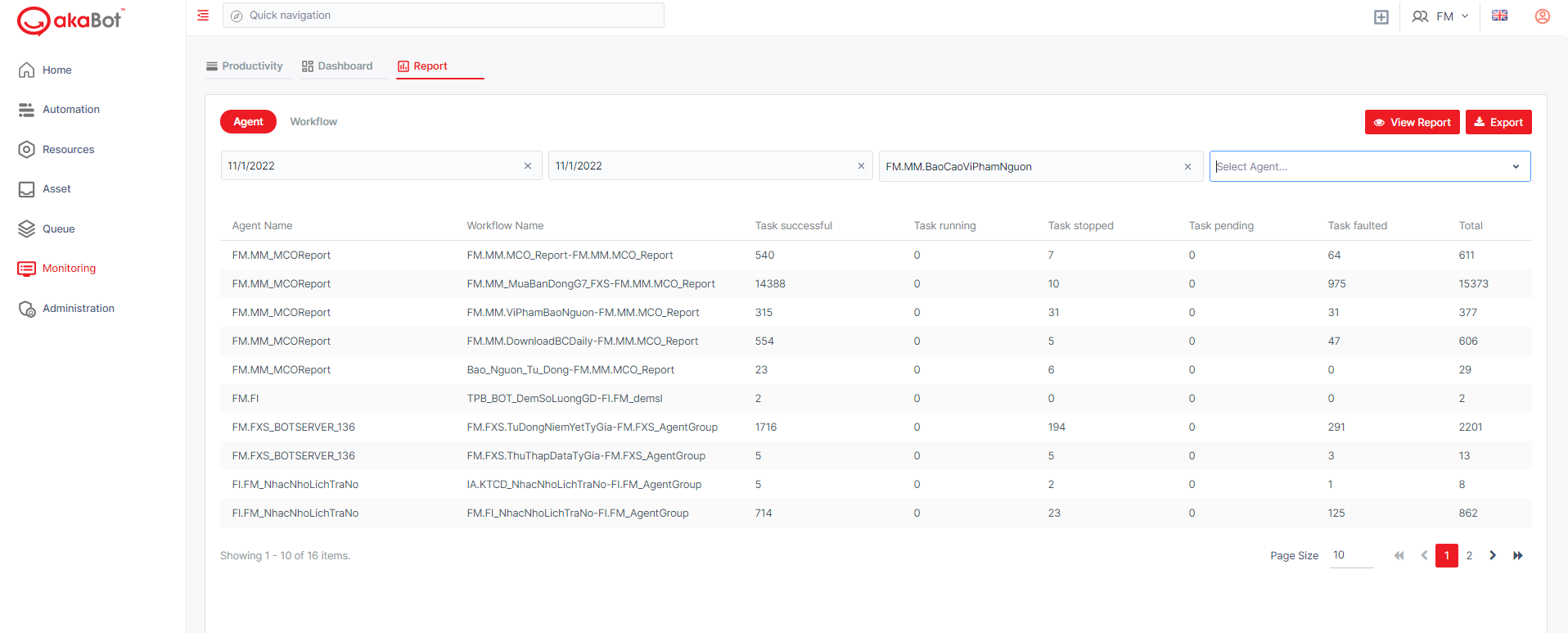
| No | Column | Description |
|---|---|---|
| 1 | Agent Name | The name of the Agent which activities is reported |
| 2 | Workflow Name | The name of the Workflow which activities is reported |
| 3 | Task Successful | The total number of tasks that are successfully executed. |
| 4 | Task Running | The total number of tasks that are currently executing |
| 5 | Task Stopped | The total number of tasks that have been stopped |
| 6 | Task Faulted | The total number of tasks that experienced errors during execution |
| 7 | Total | The total number of tasks that are initiated until now. |
To get the report, you can use the filter at the top of the page.
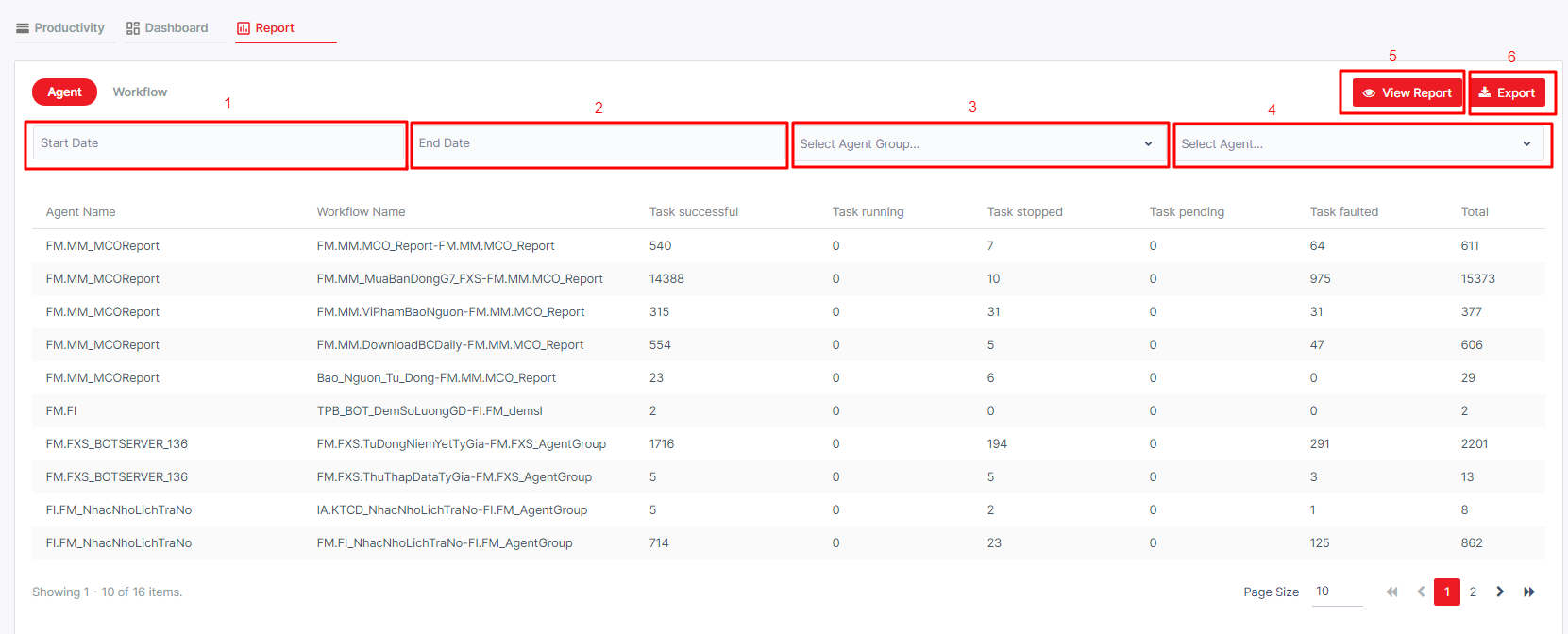
| No | Column /Label | Description | Type | Maximum | Input Requirement |
|---|---|---|---|---|---|
| 1 | Start Date | From which date you want to get the agent’s activity statistics. | Date & Time | ||
| 2 | End Date | To which date you want to get the agent’s activity statistics. | Date & Time | ||
| 3 | Select Agent Group | Select the agent group in which you want to see activity statistics. | Input searching | No limit | |
| 4 | Select Agent | Select the agent of which you want to see activity statistics | Input searching | No limit | |
| 5 | View report | Click View for the report to be generated | |||
| 6 | Export | Download the report |
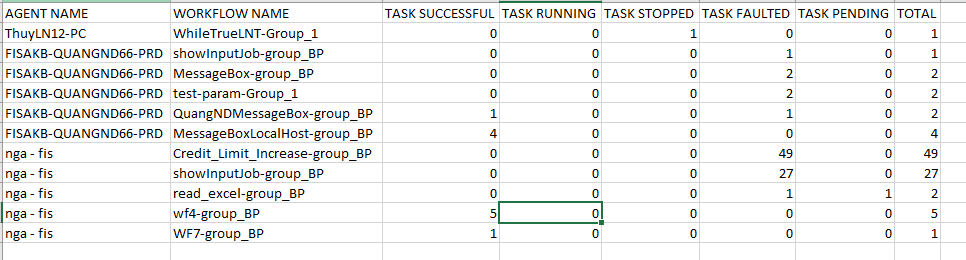
The Report will be downloaded to your local machine and shall be open:
b. Report for Workflow
Similar to Agent Report above. Please scroll up to read.