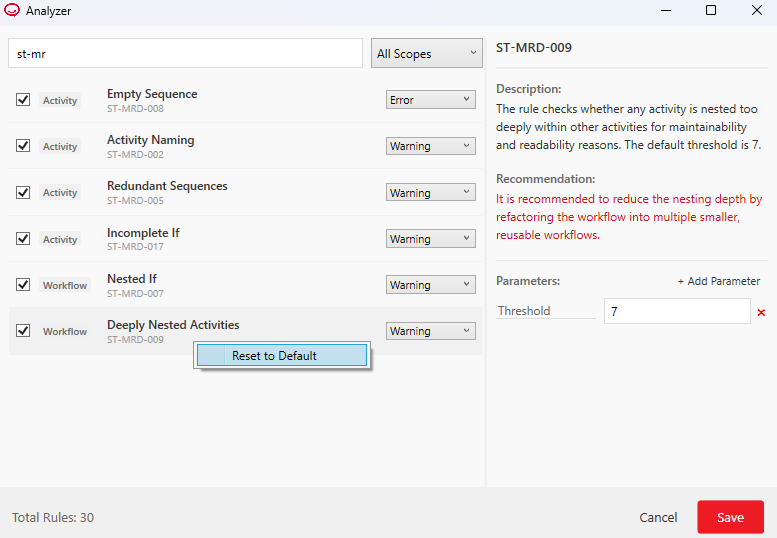
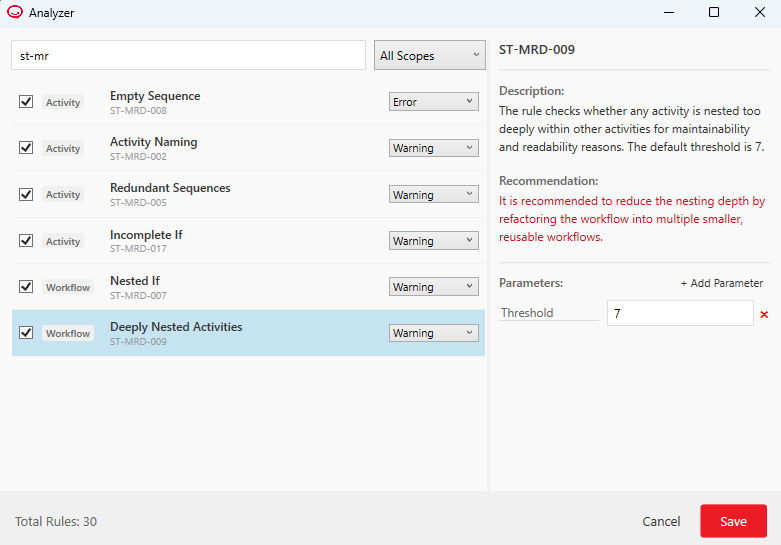
ST-MRD-009 - Deeply Nested Activities
Rule ID: ST-MRD-009
Scope: Workflow
Description
This rule checks if your workflow has too many activities placed inside one another (for example, an If inside a Loop inside another Sequence). Deep nesting makes the automation logic very complicated to read, test, and maintain. By default, the analyzer warns you if the nesting depth reaches 7 levels.
Recommendation
Reduce the nesting depth by breaking down the complex logic into smaller, separate workflows. You can use the Invoke Workflow File activity to call these smaller pieces, keeping your main workflow clean and easy to follow.
Parameters
- Threshold: The maximum number of nested activities allowed. Default value:
7.
This means that if the Workflow Analyzer finds at least 7 nested activities, a message is logged in the Error List. You can modify the threshold value (e.g., to 3), and the rule will log an error message only if the number of nested activities surpasses the new threshold.
Reset to Default Value
To reset the value to default, right-click the rule in the Analyzer window, and then click Reset to default.