ST-USG-027 - Required Packages
Rule ID: ST-USG-027
Scope: Project
Description
Maintains organizational standards by ensuring projects include mandatory packages (e.g., logging or security frameworks)
Recommendation
Install the required package through the Package Manager to comply with the organization's policy
Modifying the Rule
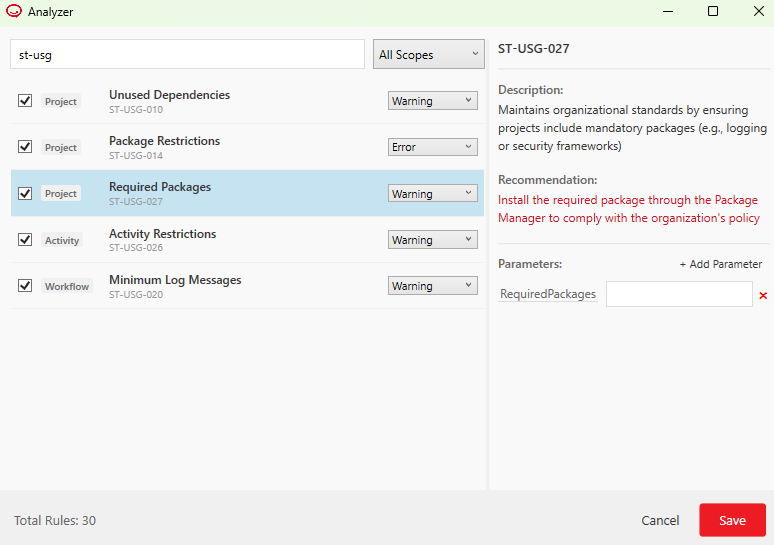
In the ribbon, click the Analyze button dropdown and select Analyze Settings to open the Analyzer window. Find and select the rule. You can modify the RequiredPackages parameter according to your preferences.
By default, this rule does not require any activity packages. Add a package by writing its full name together with its version separated by the equals sign (=), for example, RCA.Excel.Activities=2.5.3.
- Add the greater than (
>) symbol to require any version higher than a specified version, for example,RCA.Excel.Activities>=2.5.3would require a RCA.Excel.Activities package with a version of 2.5.3 or higher. The greater than (>) symbol can only be used together with the equals sign (=), inputs such asRCA.Excel.Activities>2.5.3are invalid. - The less than (
<) and the less than or equals (<=) symbols are not supported, therefore inputs such asRCA.Excel.Activities<2.5.3orRCA.Excel.Activities<=2.5.3are considered invalid. - Use a wildcard character
*to require one of multiple versions of the same package. For example, theRCA.Excel.Activities=2.7.2-beta*value requires any 2.7.2-beta version of the RCA.Excel.Activities package and the rule generates an error if other versions of the same package are installed, including:RCA.Excel.Activities=2.7.2- Other prerelease versions of the
RCA.Excel.Activities=2.7.2package (like alpha versions) - Other stable and prerelease versions of the
RCA.Excel.Activitiespackage
- The wildcard character
*can only be used at the end of the version. Furthermore, when using the greater than or equals (>=) symbol together with a wildcard character*, the greater than symbol (>=) is interpreted as the equals sign (=), for example,RCA.Excel.Activities>=2.7.2-beta*is a valid input, but is interpreted asRCA.Excel.Activities=2.7.2-beta*.
Examples:
RCA.Excel.Activities=2.8.4-*RCA.Excel.Activities>=2.7.2RCA.Excel.Activities=2.7.2
To require multiple packages, simply separate them by a comma, for example, RCA.Excel.Activities, RCA.UIAutomation.Activities requires any version of RCA.Excel.Activities and RCA.UIAutomation.Activities to be added to the project.
Note: To check which package an activity belongs to, use the Group by Packages option in the Activities panel. Another easy way to check is to hover over an activity in the panel and read the tooltip.
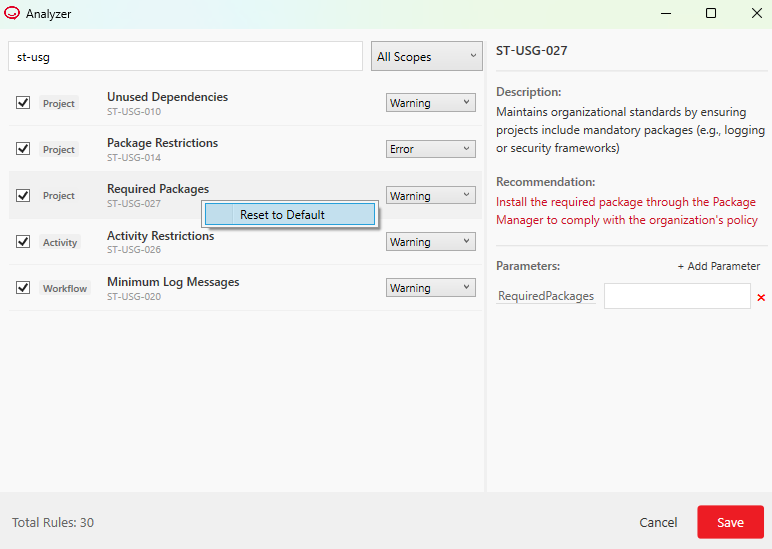
Reset to Default
By default, the rule does not require any packages. To reset the rule to default, right-click it in the Analyzer window, and then click Reset to default. The Default action is also reset to its default value.