Configure akaBot Center to use LDAP for authentication
This document provides instructions for configuring LDAP/AD authentication within the system.
1. Overview
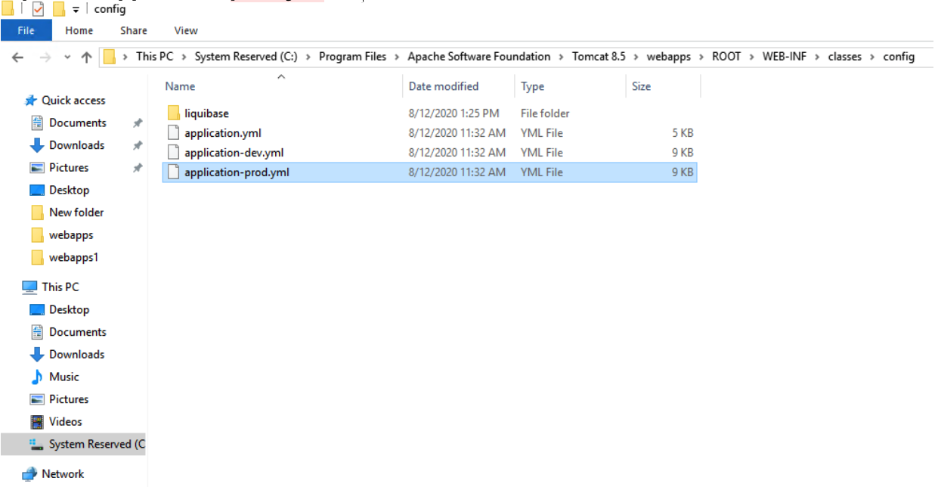
- Open file application-prod.yml file
- An example setting and formatting Configuration properties in the file: Setting for login of users in FSOFT
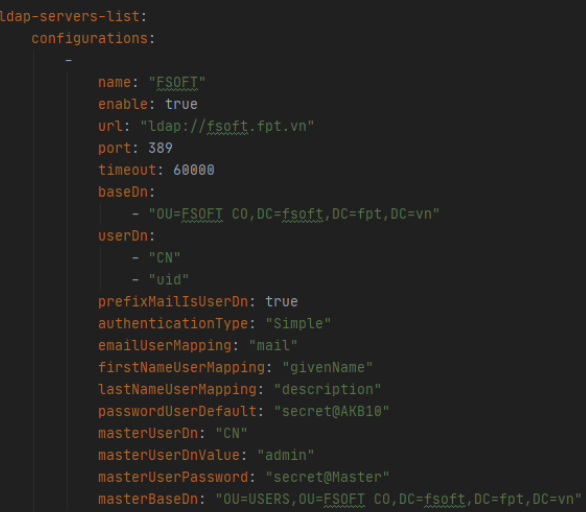
2. Setting Configuration properties ldap-server-list
The system supports multiple LDAP/AD server configurations. Each server in the list must define the following properties:
| Key Name | Value of name | Description | Value example |
| ldap-server-list | List of LDAP/AD server. | ||
| configurations | Key description list of server LDAP/AD. | ||
| name | Character | Name or label of server. | FSOFT |
| enable | True or False | Only True or False to set enable or disable server. | True |
| url | Character | Ip address or DNS name of server. Always include ldap:// isprefix. | ldap://fsoft.fpt.vn |
| port | Number | Port number of url server | 389 |
| timeout | Number or character | Limit milliseconds when Center connection to server without receive response data | 60000 |
| baseDn | Character | A list of baseDn. A baseDn is typeof search base settings in the standard format: ou=organizational unit,dc=first part of distinguished server name,dc=any part of the distinguished server name that appears after the dot. A baseDN can set relative at the high level of LDAP tree. | - "OU=FSOFT CO,DC=fsoft,DC=fpt,DC=vn" |
| userDn | Character | A list of userDn. An userDn is distinguished name of searching User in the standard format:dn=account name | - cn - uid |
| prefixMailIsUserDn | True or False | Only True or False. If set True then userDn=prefix of email. Set False then when user input an email to login, the userDn=email user login. | True |
| authenticationType | Character | Type of authentication. Current only support Simple authentication. | Simple |
| emailUserMapping | Character | Key email attribute of user LDAP. Email of user LDAP will be mappedto email of user system. | |
| firstNameUserMapping | Character | Key first name attribute of user LDAP. First name of user LDAP will be mapped to firstName of user system. | givenName |
| lastNameUserMapping | Character | Key last name attribute of user LDAP. Last name of user LDAP will be mapped to lastName of user system. | cn |
| passwordUserDefault | Character | Password default set for new user sync from user login via LDAP. | secret@Akabot |
| masterUserDn | Character | Setting an user, is called master for searching in LDAP tree, this is setting DN name of master user | cn |
| masterUserDnValue | Character | DN value of master user | admin |
| masterUserPassword | Character | Password of master user | secretAdmin |
| masterBaseDn | Character | Absolute path DN to master user | "ou=system,dc=Company, dc=vn" |
3. Make real setting LDAP/AD Configuration properties
Step 1: Stop Services
-
Open Services
-
Stop the Apache Tomcat service before making changes.
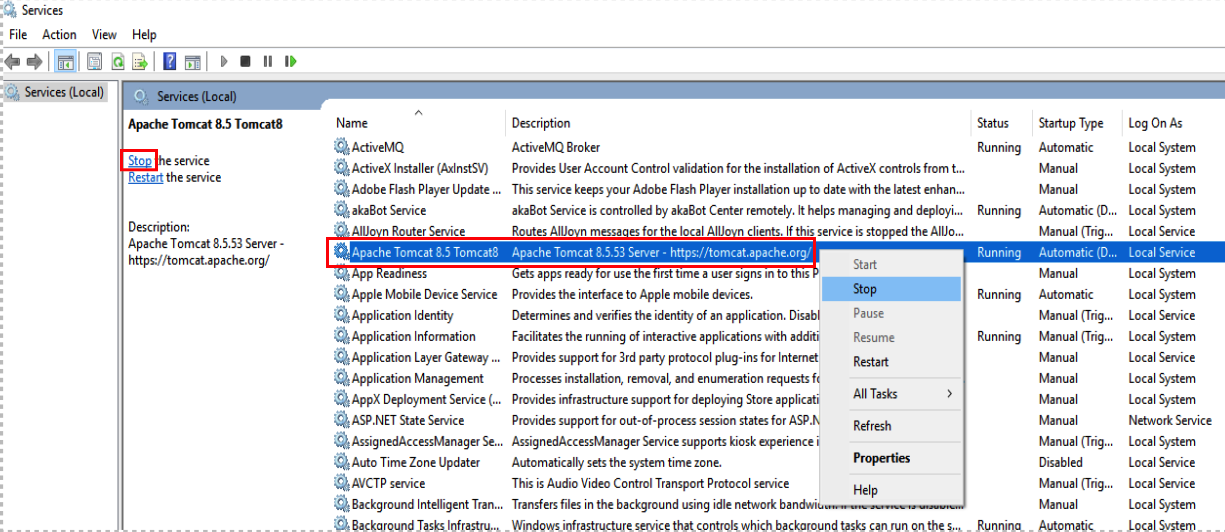
Step 2: Use Active Directory Administrative Center tool to get information for setting ldap-server-list
- Open Start menu => Windows Administrative tools => Open Active Directory Administrative Center tool
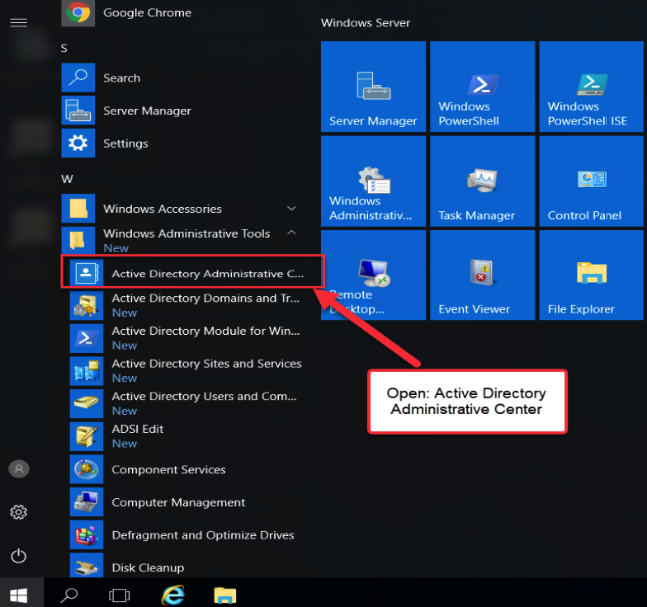
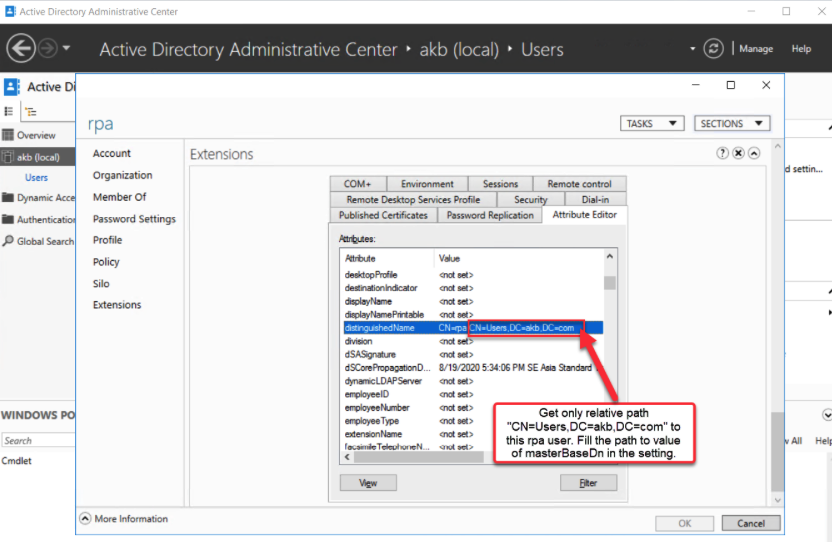
- Assume that we have had an AD/LDAP already with many users in the Users distinguished name. Get value of distinguishedName to fill in the baseDn:
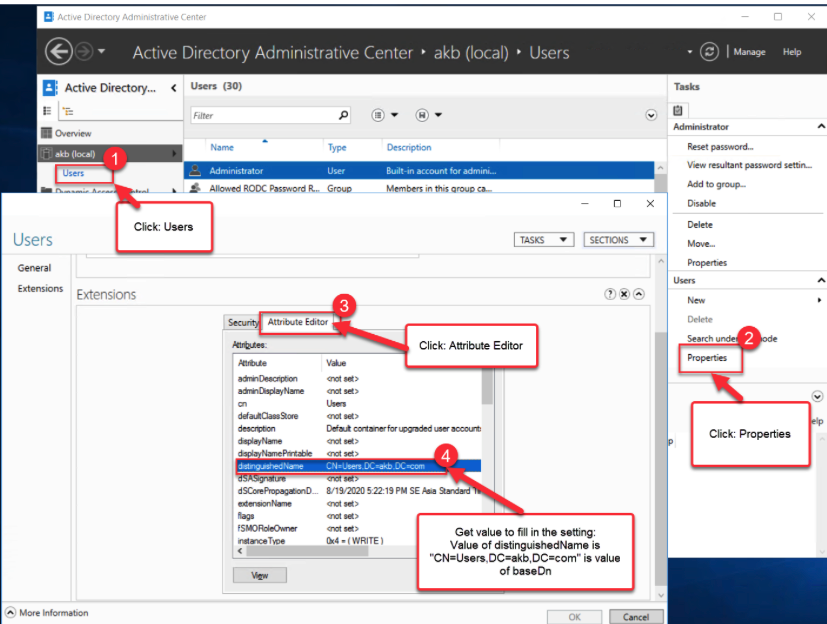
Step 3: Get values to fill in value of userDn, emailUserMapping, firstNameUserMapping, flastNameUserMapping:
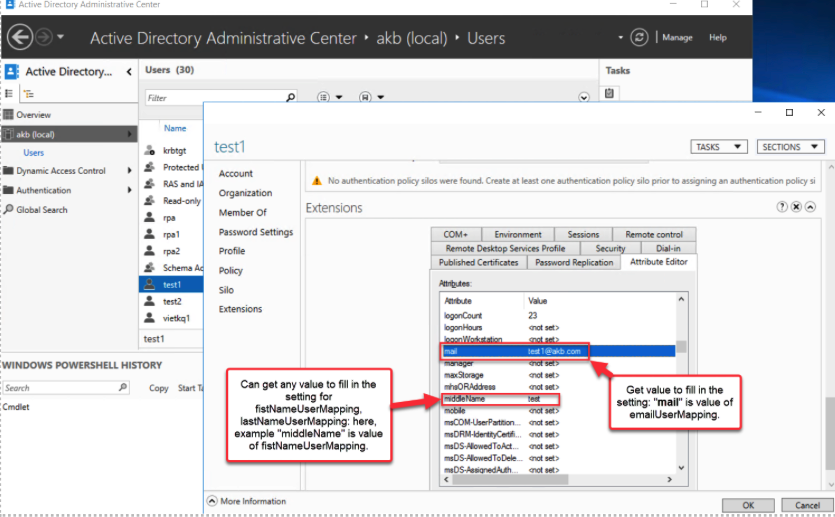
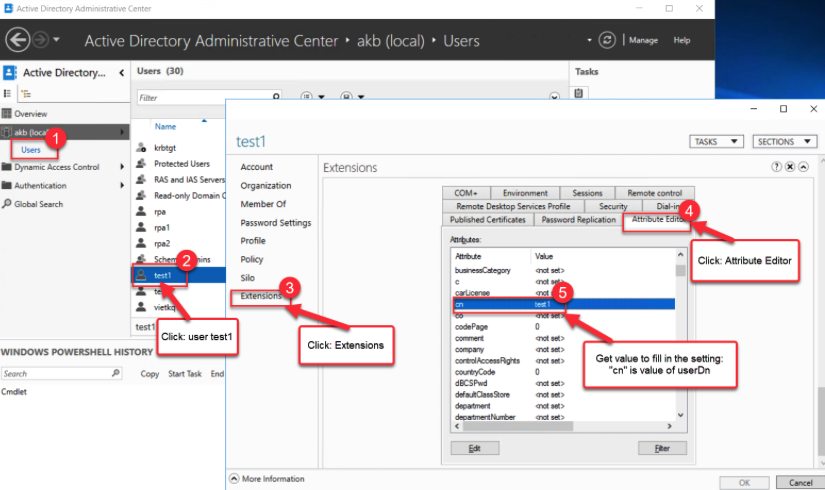
Step 4: Get values to fill in value of masterUserDn, masterUserDnValue and masterBaseDn
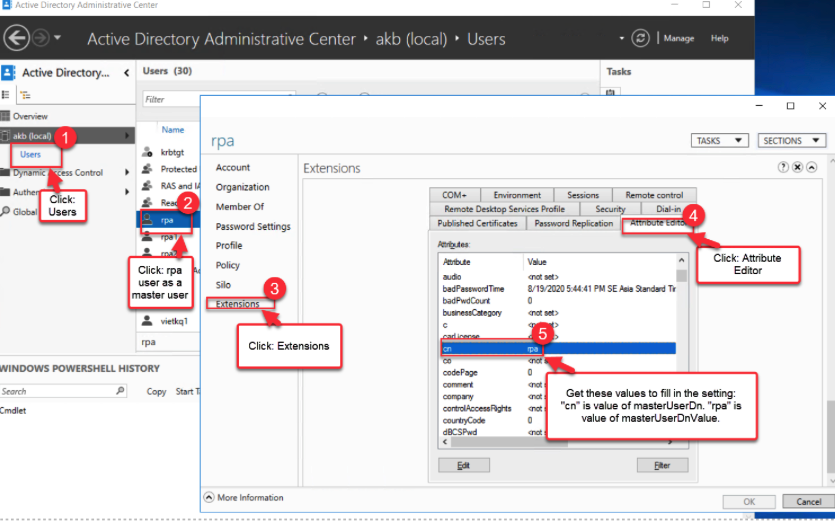
-
You should set default as example table for other values of ldap-server-list setting.
-
Save the setting file after finish.
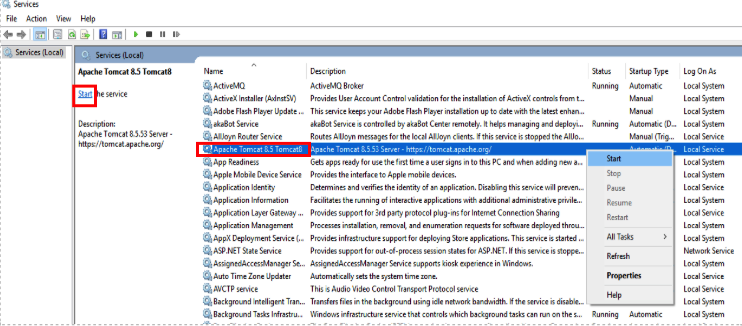
Step 5: Start Apache Tomcat service
-
Open Service
-
Start Apache Tomcat
4. LDAP/AD User Authentication: Standard Conditions and Exceptional Cases
4.1. Standard Conditions for LDAP/AD User Mapping
To successfully map an LDAP/AD user to the RPA system, the following conditions must be met:
- Email Attribute: The LDAP user must have a valid email attribute, or their Distinguished Name (DN) must be an email address.
- Single Email: The LDAP user should have one, and only one, email attribute defined.
- Validity & Uniqueness: The email must be valid and unique within the LDAP organization.
- System Uniqueness: The email must not already exist in the RPA system prior to the user's first login.
4.2. Exceptions and Limitations (Abnormal Cases)
- Duplicate Login Names: If a new LDAP user has the same login name as an existing system user, the new account will be created using the format: [login_name]_[id_number].
- Authentication Methods: Currently, the system only supports the Simple Authentication method. Other methods are not yet supported.
- Security Constraints: Configuration with SSL (LDAPS) for AD/LDAP servers is not yet supported.