Install/Create an SSL/TLS Certificate for Center
What You'll Need
-
Your server certificate (.crt)
-
Your private key (.key)
=> Should receive it by the provider.
1. Convert your certificate files from PEM (.cer or .crt) to PKCS#12 (.p12) Format.
You can easily do this on your own system by running below OpenSSL command.
Note: Kindly copy the certificate files to the same folder of OpenSSL

JSON
$ openssl pkcs12 -export -in your\_crtfile.crt -inkey your\_key.key -out your\_domain.p12 -name "your\_domain" -passout pass:your\_pass
2. Configuring SSL connector
- Stop Tomcat service and navigate to this location:(C:\Program Files\Apache Software Foundation\Tomcat 8.5\conf)
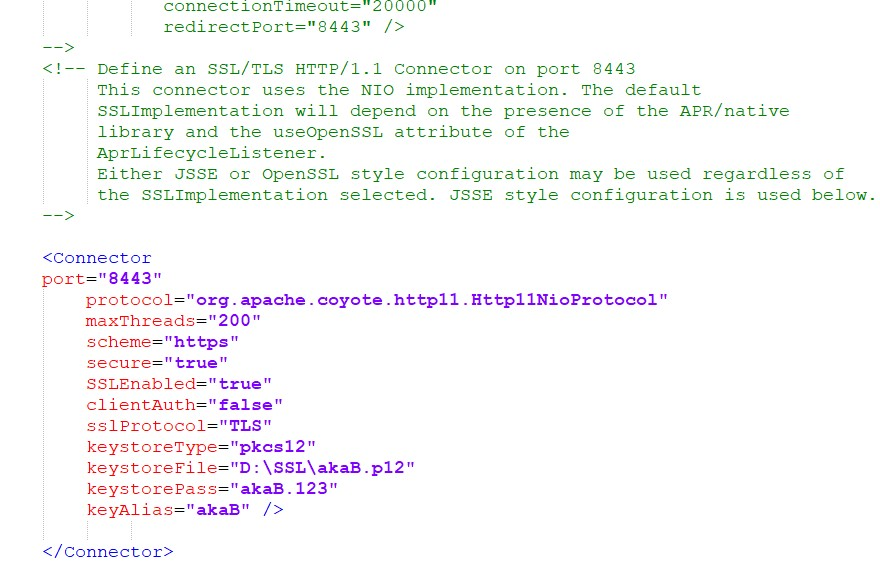
- Open file server and add the code below
C++

< Connector
port= your\_port
protocol= org.apache.coyote.http11.Http11NioProtocol
maxThreads= 200  scheme= https  secure= true
SSLEnabled= true
clientAuth= false
sslProtocol= TLS
keystoreType= pkcs12
keystoreFile= your\_path\your\_domain.p12
keystorePass= yourpass
keyAlias= your\_alias
/>
- Finally, save your file and Start Tomcat service again. Open web browser and test
Create an SSL/TLS Certificate for Local
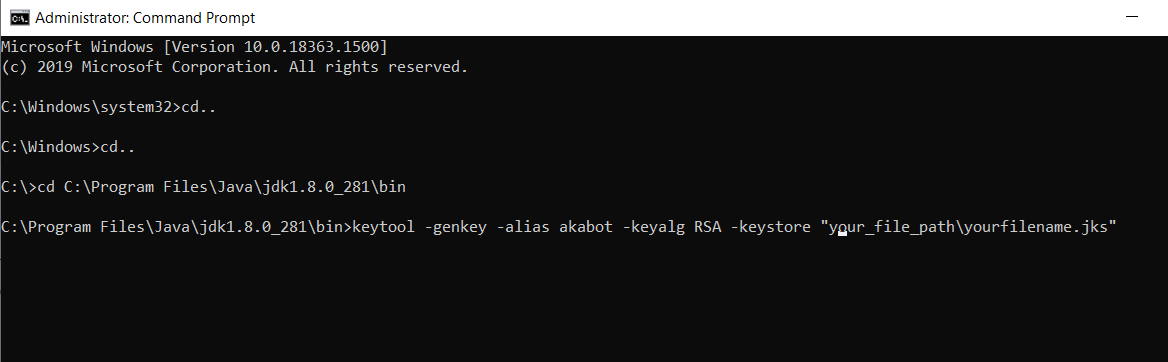
- Step 1 : Open CMD with with administrative privileges and type these command below:
LESS

keytool - genkey -alias youralias -keyalg RSA -keystore "your\_file\_path\yourfilnames.jks"
After that, it will require to create password (keyStore), organization, name,....
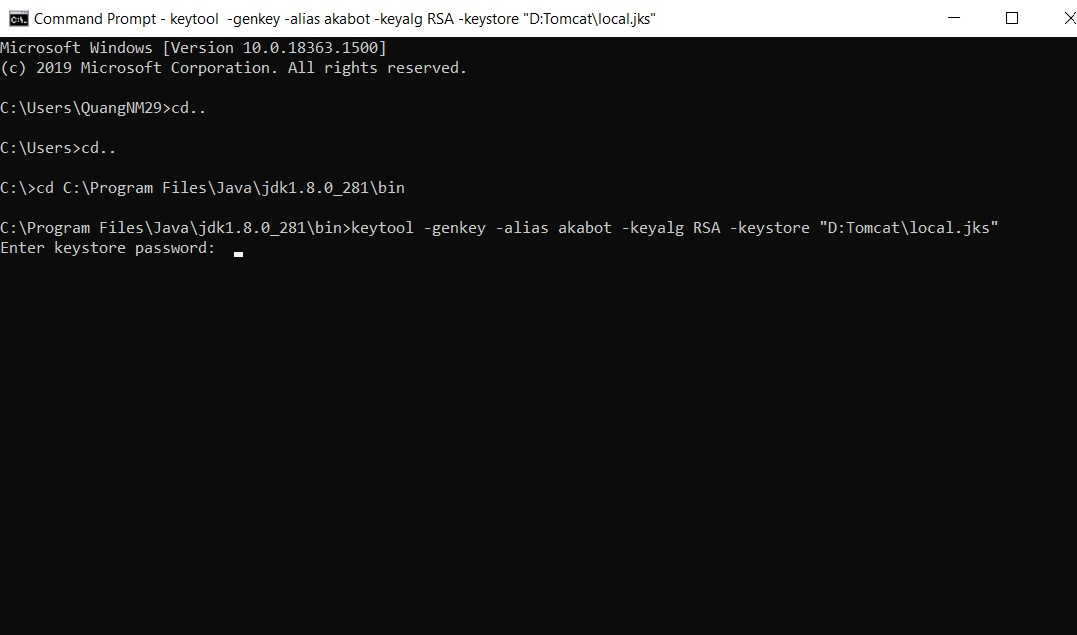
Once you completed, it will generate a file type "jks" on your folder.
- Step 2 : Stop Tomcat and v o open server file via this location: C:\Program Files\Apache Software Foundation\Tomcat 8.5\conf
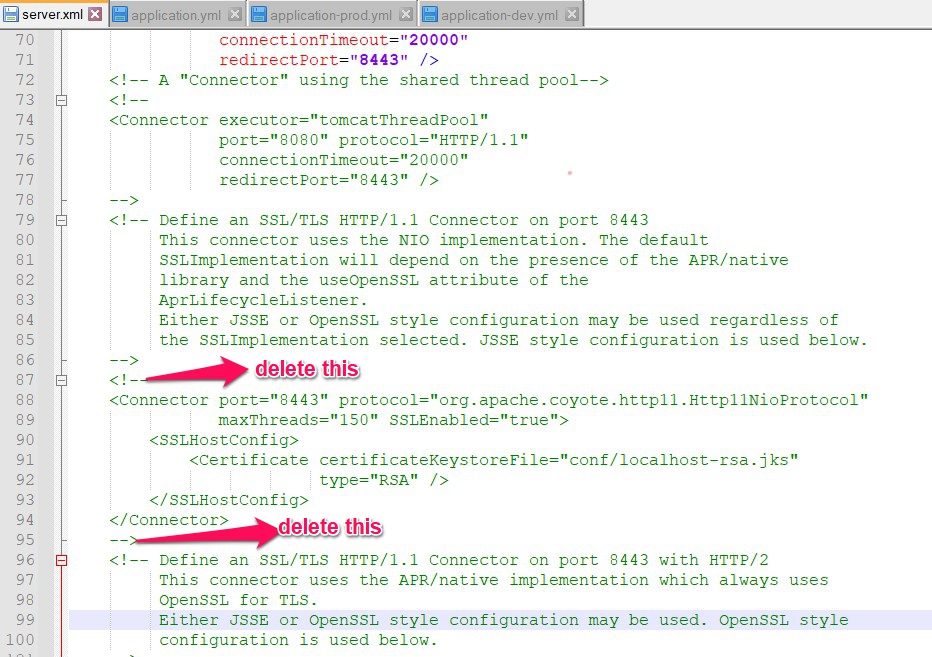
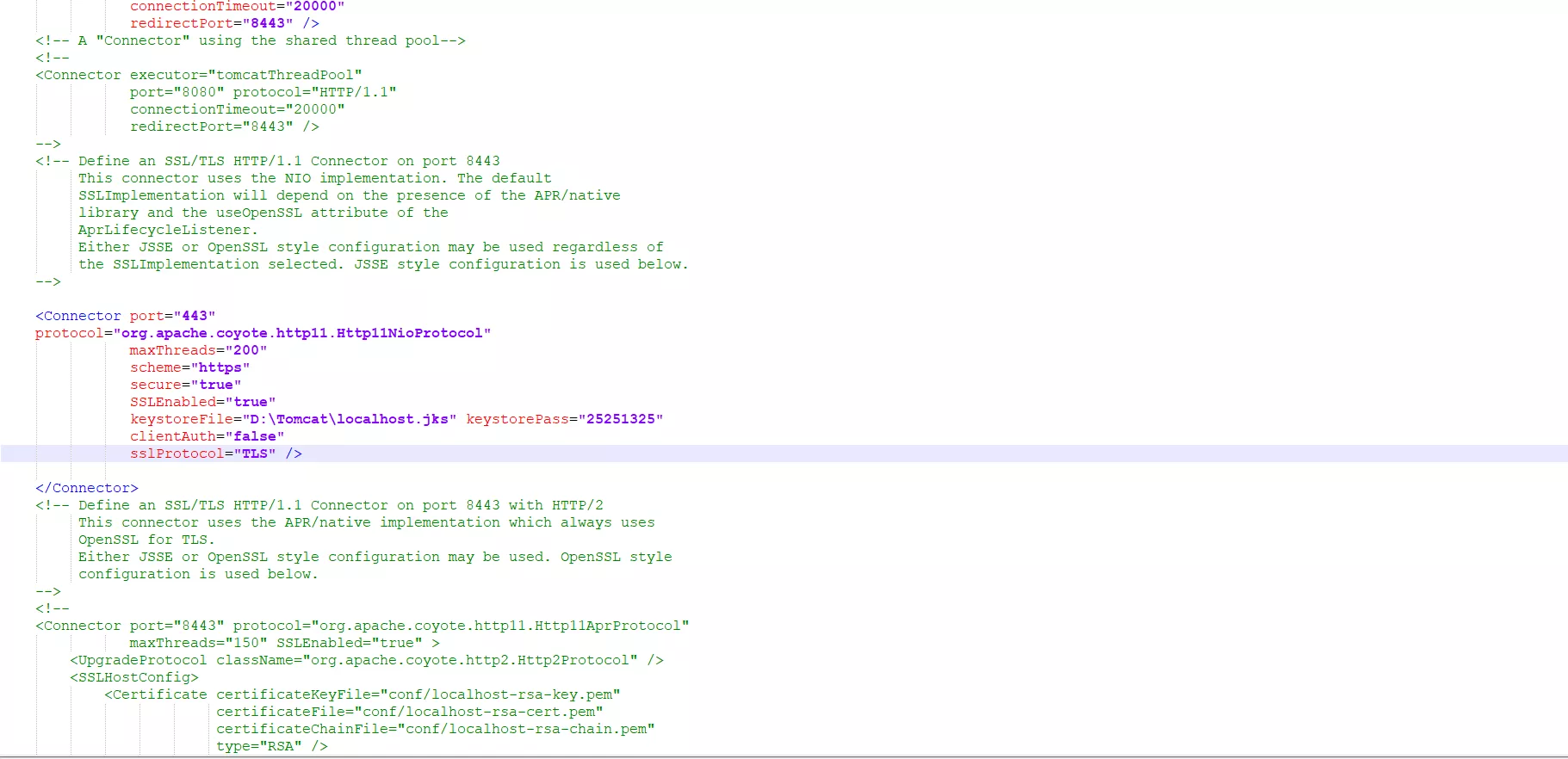
- Step 3 : Add the code below.
JSON

< Connector
port= your\_port
protocol= org.apache.coyote.http11.Http11NioProtocol
maxThreads= 200
scheme= https
secure= true
SSLEnabled= true
clientAuth= false
sslProtocol= TLS
keystoreFile= your\_path\your\_domain.p12
/>
Note: Please remember to replaceKeystorefile and Keystorepass (which you created in CMD)
- Step 4: Start the Tomcat service and access the website with HTTPs.