Export File as PDF
RCA.Activities.Office365.ExportFileAsPdf
Description
Converts and exports a file as PDF. Supported formats include doc, docx, odp, ods, odt, pps, ppsx, ppt, pptx, rtf, xls, and xlsx.
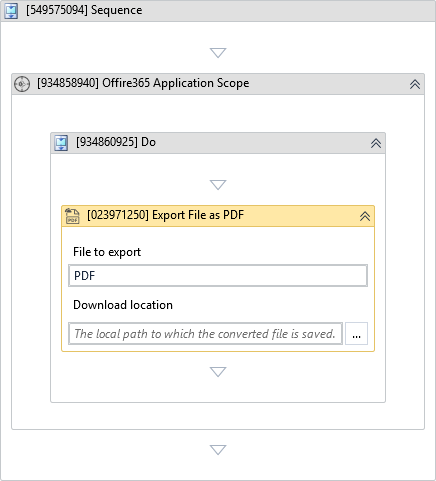
(*For mandatory)
In the body of the activity
- File to export - The file to export as PDF.
- Download location - The local path to which the converted file is saved.
Properties
Input
-
File to export:
InArgument<DriveItem>* - The file to export as PDF. -
Download as file:
InArgument<String>* - The local path to which the converted file is saved.
Misc
-
Public (Checkbox) - Check if you want to public the activity. Remember to consider data security requirement before using this property.
-
Display Name (String) - The name of this activity. You can edit the name of the activity to organize and structure your code better. E.g: [3424325] Open Window