Add List Items
RCA.Activities.Office365.AddListItems
Description
Adds one or multiple list items to the specified SharePoint list.
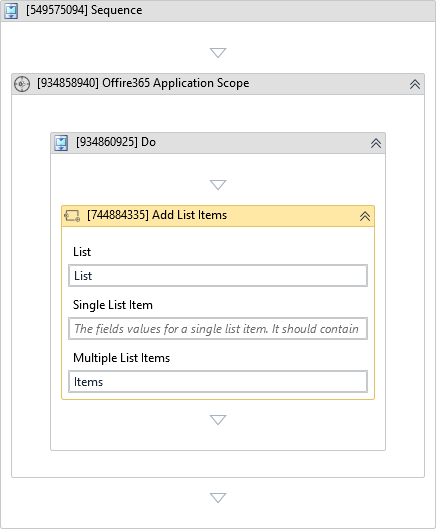
(*For mandatory)
In the body of the activity
- List - The SharePoint list on which the operation is performed.
- Single List Item - The field values for a single list item.
- Multiple List Items - The field values for multiple list items.
Properties
Input
-
List:
InArgument<Office365SharepointList>* - The SharePoint list on which the operation is performed. -
Single List Item:
InArgument<DataTable>- The fields values for a single list item. It should contain two columns: field name (String) and value (Object). -
Multiple List Items:
InArgument<DataTable>- The fields values for multiple list items. The first row represents column headers and remaining rows represent field values.
Output
- List Items:
OutArgument<Office365SharepointListItem[]>- The information about the newly created list items.
Misc
-
Public (Checkbox) - Check if you want to public the activity. Remember to consider data security requirement before using this property.
-
Display Name (String) - The name of this activity. You can edit the name of the activity to organize and structure your code better. E.g: [3424325] Open Window
- Single List Item:
dtNewTask - List Items (Output): Press Ctrl + K to create a variable
newItems.
- Single List Item:
- Run the process. The new task will be successfully added to the SharePoint list.