Get File/Folder
RCA.Activities.Office365.GetFileFolder
Description
Retrieves the metadata of a specified file or folder and saves it to later use in other activities.
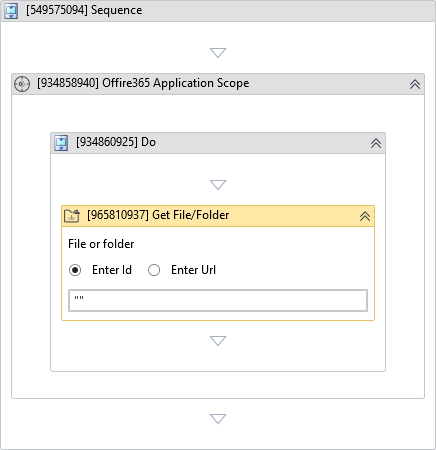
(*For mandatory)
In the body of the activity
- Item ID - The Drive Item ID of the file or folder of interest.
- Item Url - The Drive Item Url of the file or folder of interest.
Properties
Input
-
Item ID:
InArgument<String>- The Drive Item ID of the file or folder of interest. -
Item Url:
InArgument<String>- The Drive Item Url of the file or folder of interest.
Sharepoint
-
Drive Name:
InArgument<String>- The name of the drive within OneDrive or SharePoint searched for the indicated files or folders. If this drive exists within SharePoint, Site Url must be specified. -
Site Url:
InArgument<String>- The URL of the SharePoint site searched for the indicated files or folders.
Options
- Account:
InArgument<String>- The ID or User Principal Name for the user who owns the OneDrive. This parameter must be set for ApplicationIdAndSecret and ApplicationIdAndCertificate authentication types.
Output
- Item:
OutArgument<DriveItem>- The file or folder of interest as a DriveItem.
Misc
-
Public (Checkbox) - Check if you want to public the activity. Remember to consider data security requirement before using this property.
-
Display Name (String) - The name of this activity. You can edit the name of the activity to organize and structure your code better. E.g: [3424325] Open Window