Get List Info
RCA.Activities.Office365.GetListInfo
Description
Gets the information about the specified SharePoint List.
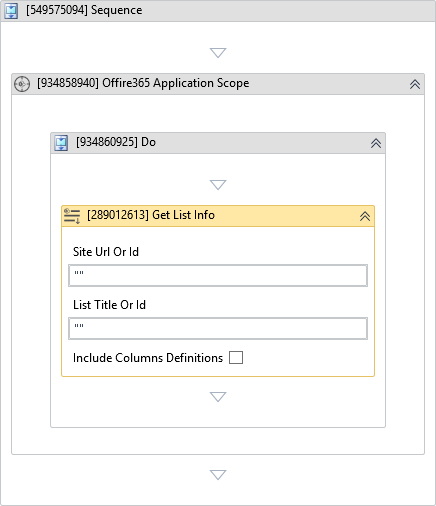
(*For mandatory)
In the body of the activity
- Site Url Or Id - The URL or the ID of the SharePoint site.
- List Title Or Id - Specify either the title or the ID of the list.
Properties
Input
-
Site Url Or Id:
InArgument<String>* - The URL or the ID of the SharePoint site. -
List Title Or Id:
InArgument<String>* - Specify either the title (display name) or the ID of the list. -
Include Columns Definitions:
Boolean- Indicates whether to retrieve the information about the list columns.
Output
- List:
OutArgument<Office365SharepointList>- The information about the SharePoint list.
Misc
-
Public (Checkbox) - Check if you want to public the activity. Remember to consider data security requirement before using this property.
-
Display Name (String) - The name of this activity. You can edit the name of the activity to organize and structure your code better. E.g: [3424325] Open Window
- In the message box, enter the VB.NET expression:
"Retrieved List: " & campaignsList.Title & " with " & campaignsList.Columns.Count.ToString() & " columns." - Run the workflow. The output panel will output the list's title and the number of columns defined.