Move Mail
RCA.Activities.Office365.MoveMail
Description
The Move Mail activity moves an email message to a specified destination folder in Microsoft Office 365 Outlook.
note
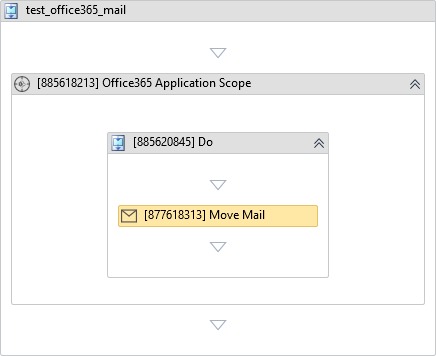
This activity must be placed inside the Do block of Office 365 Application Scope with the Mail service selected. See Connecting to Office 365 for how to set up authentication and permissions.
(* is mandatory)
In the body of activity
- None (Configure properties via the Properties panel).
Properties
Common
- Continue On Error (Boolean) - A Boolean variable has two possible values: True or False
- True : allows the rest of the process to continue the execution even an error occurs within the activity.
- False : blocks the process from continuing the execution.
Input
- Account (String) - The email account containing the message. If left blank, the authenticated user account is used.
- Destination Folder (String)* - The name of the destination folder where the message will be moved.
E.g: "Archive" - Message (Office365Message)* - The Office365Message object to be moved (e.g. retrieved from the Get Mail activity).
Misc
- Public (Checkbox) - Check if you want to public the activity. Remember to consider data security requirement before using this property.
- Display Name (String) - The name of this activity. You can edit the name of the activity to organize and structure your code better.
E.g: Move Mail