Share File/Folder
RCA.Activities.Office365.ShareItem
Description
Shares a file or folder drive item with the specified recipients.
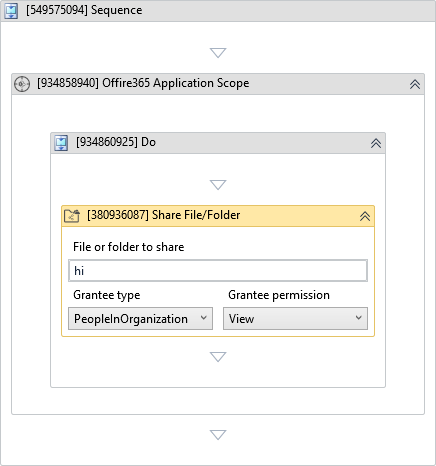
(*For mandatory)
In the body of the activity
- File or folder to share - The file or folder to share.
- Grantee type - The type of recipient for which the permissions are granted.
- Grantee permission - The type of permission that will be granted.
Properties
Input
-
File or folder to share:
InArgument<DriveItem>* - The file or folder to share. -
Grantee type:
GranteeType* - The type of recipient for which the permissions are granted. -
Grantee permission:
GranteePermission* - The type of permission that will be granted.
Specific People
-
Send sharing invitation email:
Boolean- Specifies whether to send a sharing invitation email to the recipients specified in the Recipients property. -
Message:
InArgument<String>- A plain text to include in the sharing invitation email. -
Recipients:
InArgument<String[]>- The list of specific recipients to receive access and, optionally, a sharing invitation. Each recipient should be specified by providing its email address. -
Requires sign in:
Boolean- Specifies whether the recipient is required to sign in to view the shared item.
Output
- Access url:
OutArgument<String>- The web URL of the sharing link or of the drive item (Specific People).
Misc
-
Public (Checkbox) - Check if you want to public the activity. Remember to consider data security requirement before using this property.
-
Display Name (String) - The name of this activity. You can edit the name of the activity to organize and structure your code better. E.g: [3424325] Open Window