Pipeline の作成
Pipeline は、ある種類の文書から AkaXtract が何を抽出するか、そして担当者がいつ結果をレビューするかを定義します。
作成方法を選ぶ
Pipelines -> Create Pipeline を開き、次のいずれかを選択します。
| 方法 | 使う場面 |
|---|---|
Create Auto | サンプル文書があり、AI に設定の下書きを作成させたい場合。JSON に不慣れな方に最適です |
Create Manual | ウィザードですべてのステップを自分で設定したい場合 |
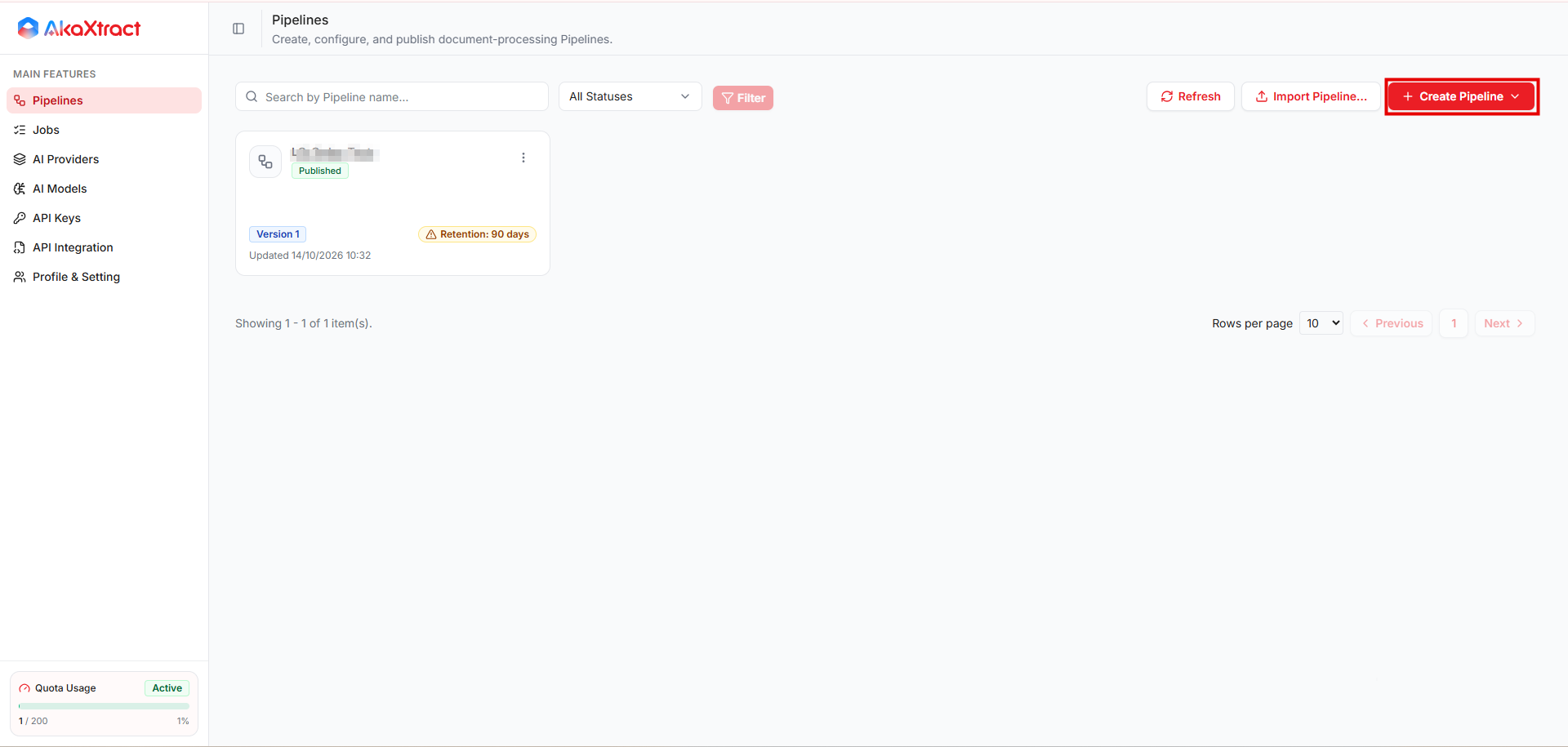
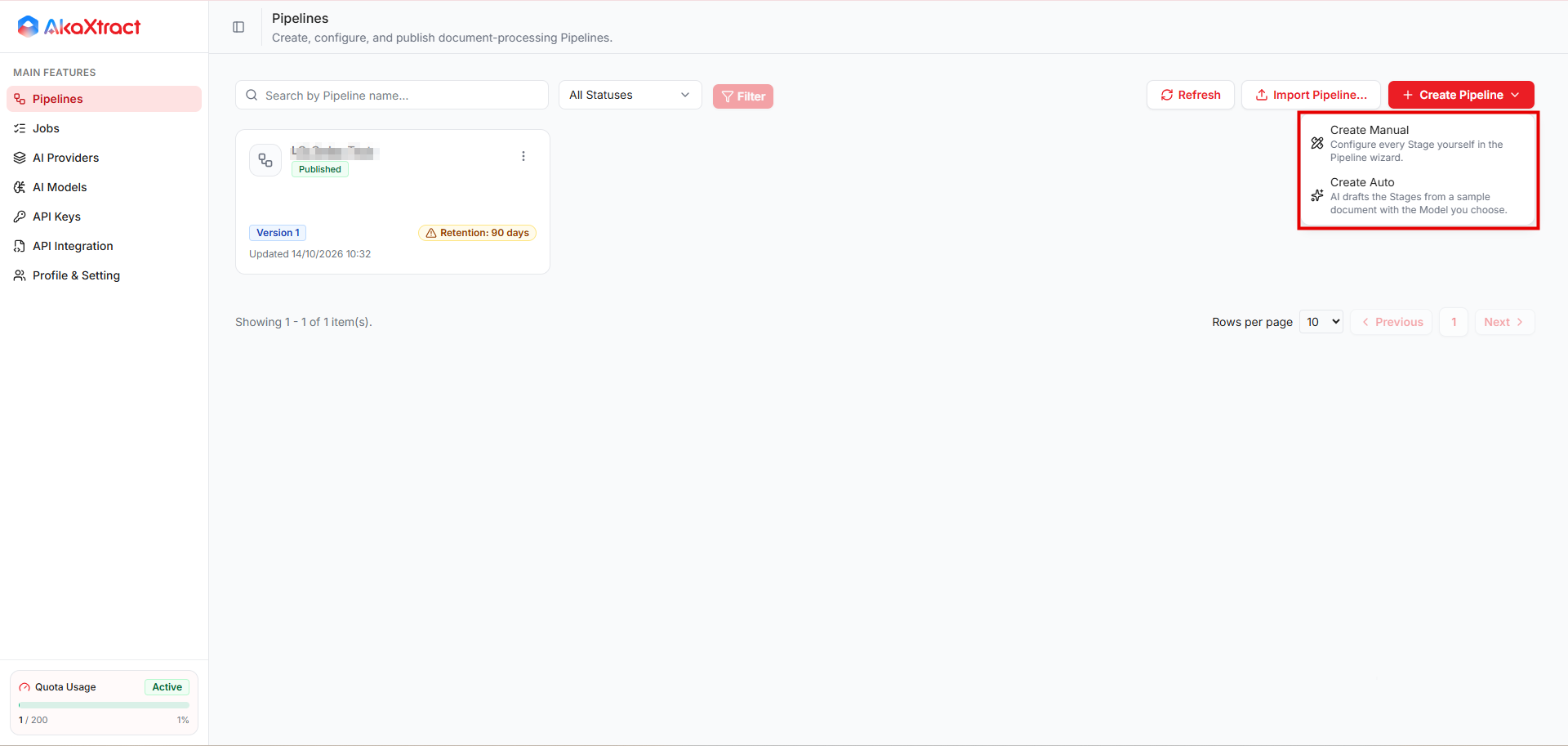
Create Auto
Pipeline Nameを入力し、AI Modelを選択します。Auto-Approve ResultsやConfidence Thresholdなど、その他のオプションは手動ウィザードと同様に設定します。Sample Documentを選択します。PDF、PNG、JPG/JPEG、または XML(25 MB まで)です。Generateを選択します。数分かかる場合があります。サンプルは、設定が生成されるとすぐにストレージから削除されます。Review Generated Configurationで、プロンプトとスキーマを確認し、必要に応じて編集します。構文が正しくても、内容がお使いの文書に合っているとは限りません。- テストする場合は
Create Draftを、確認済みで公開する場合はPublishを選択します。
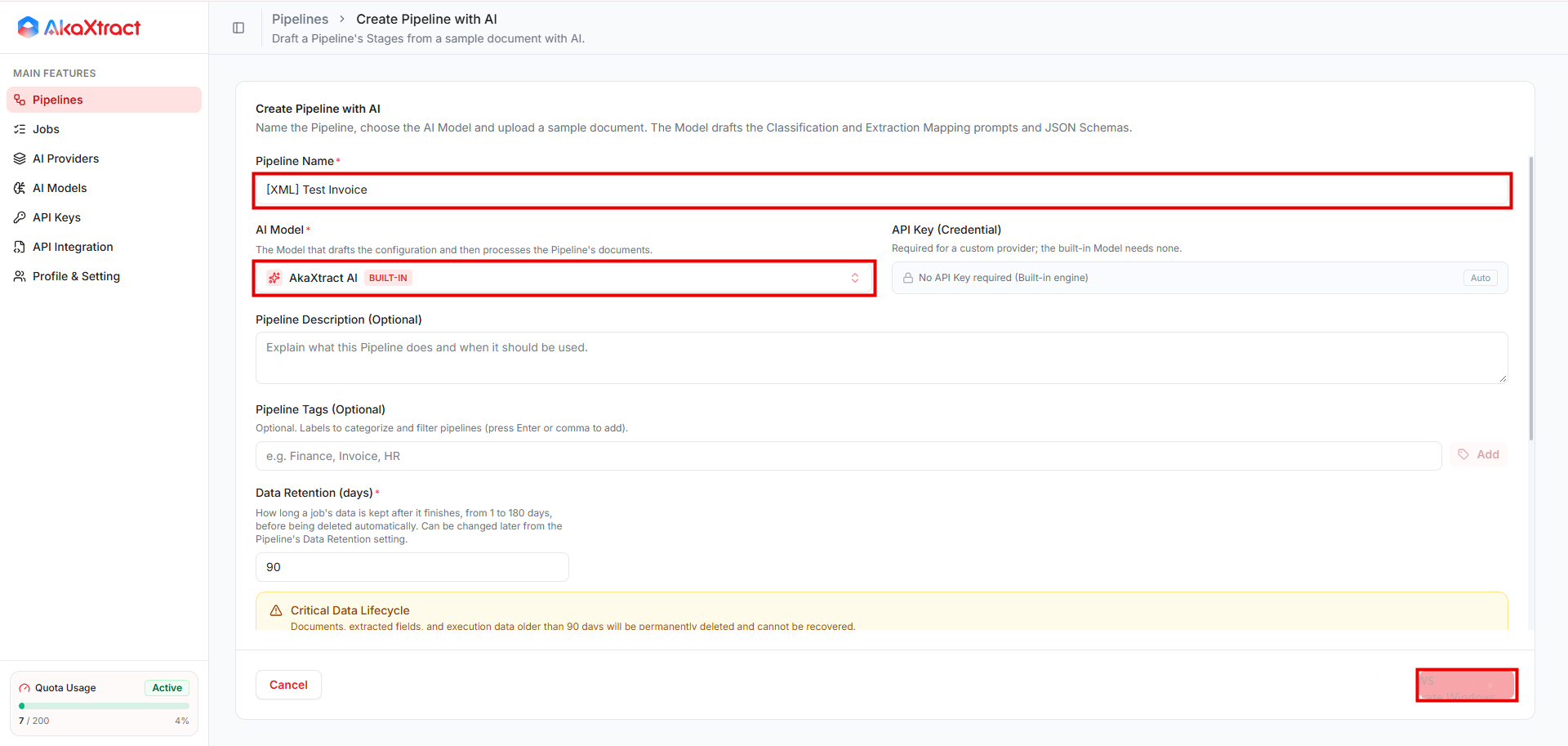
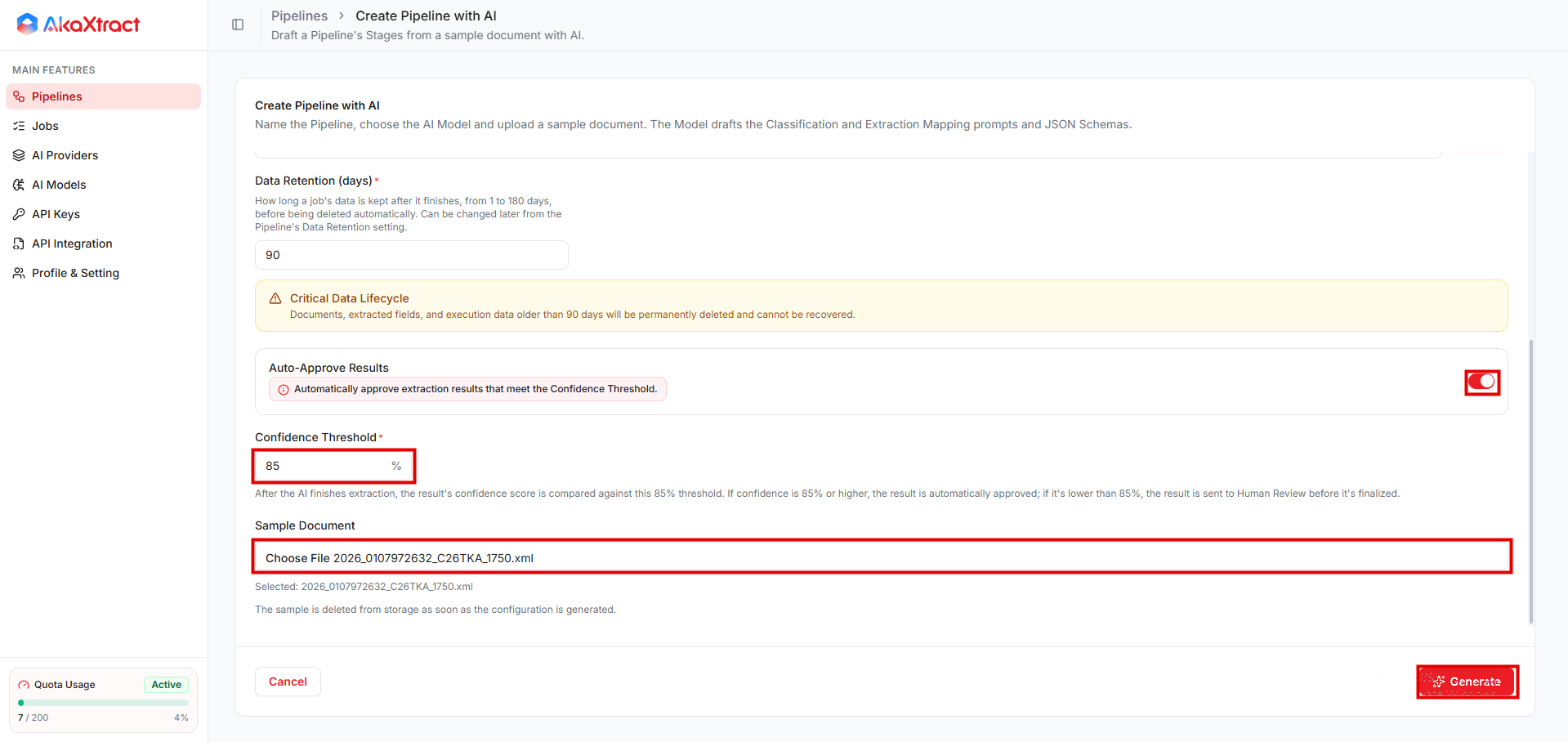
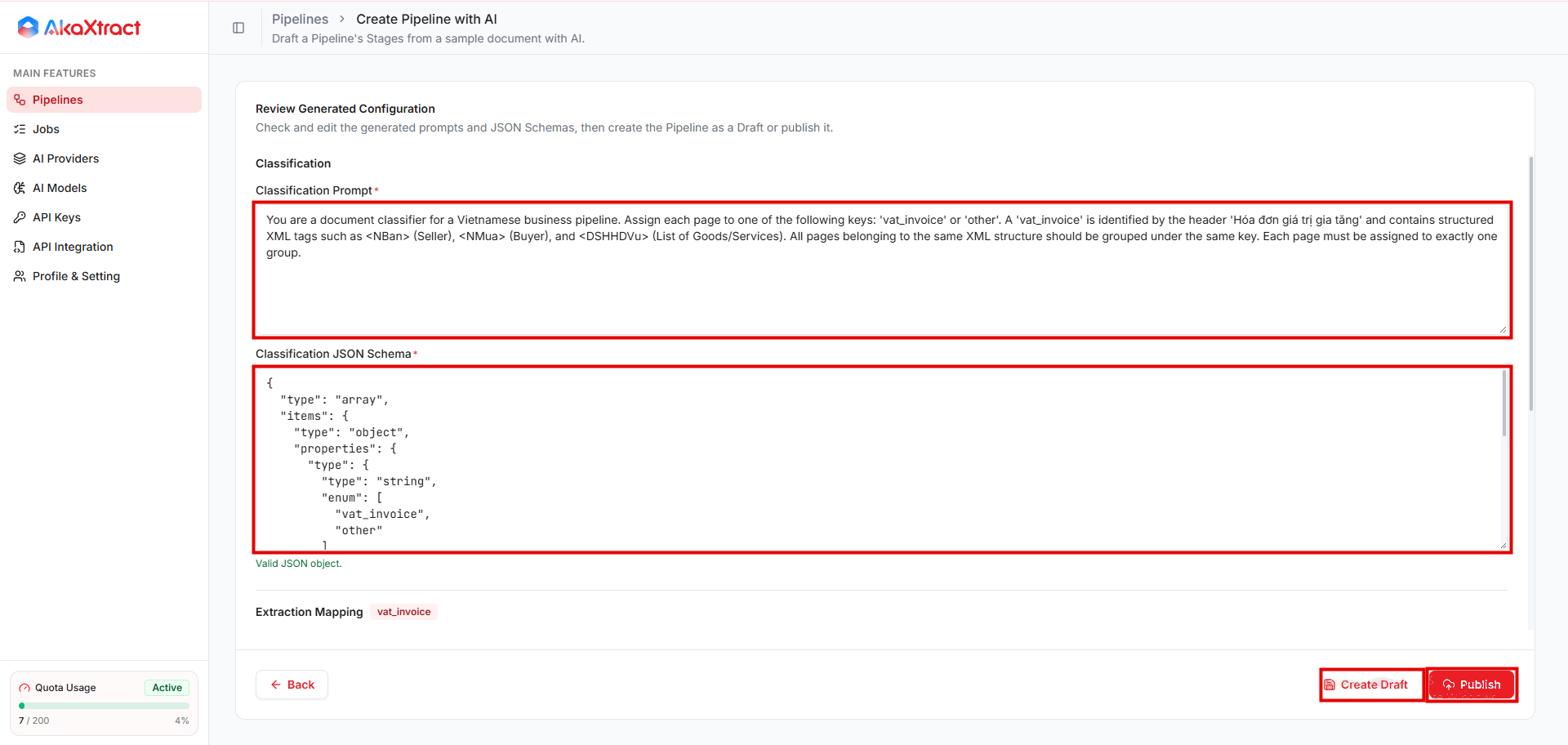
Pipeline の作成後に公開が失敗した場合は、新しく作り直さず、作成済みの Draft を開いてください。
Create Manual
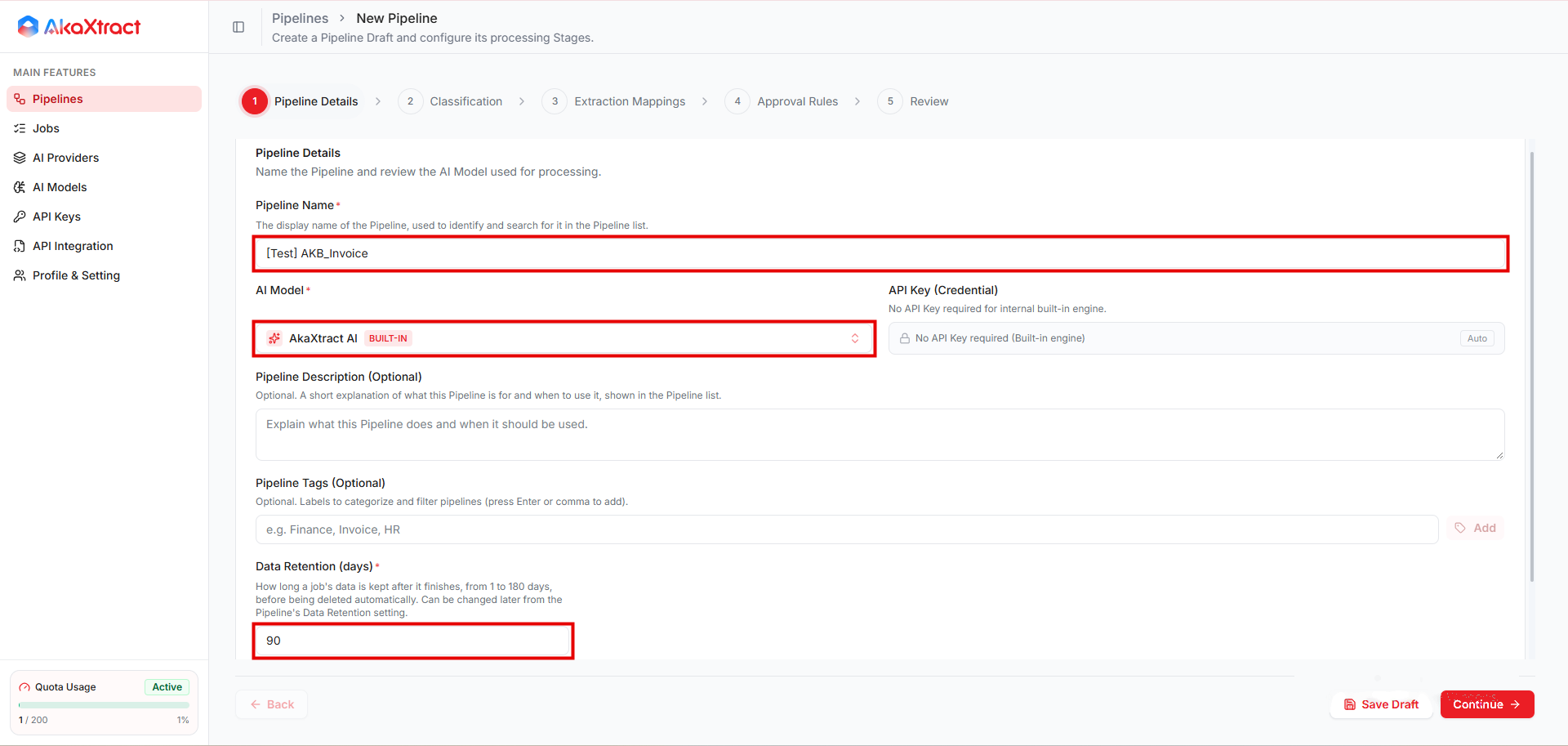
ウィザードは 5 つのステップで構成されます。
| ステップ | 設定する内容 | 補足 |
|---|---|---|
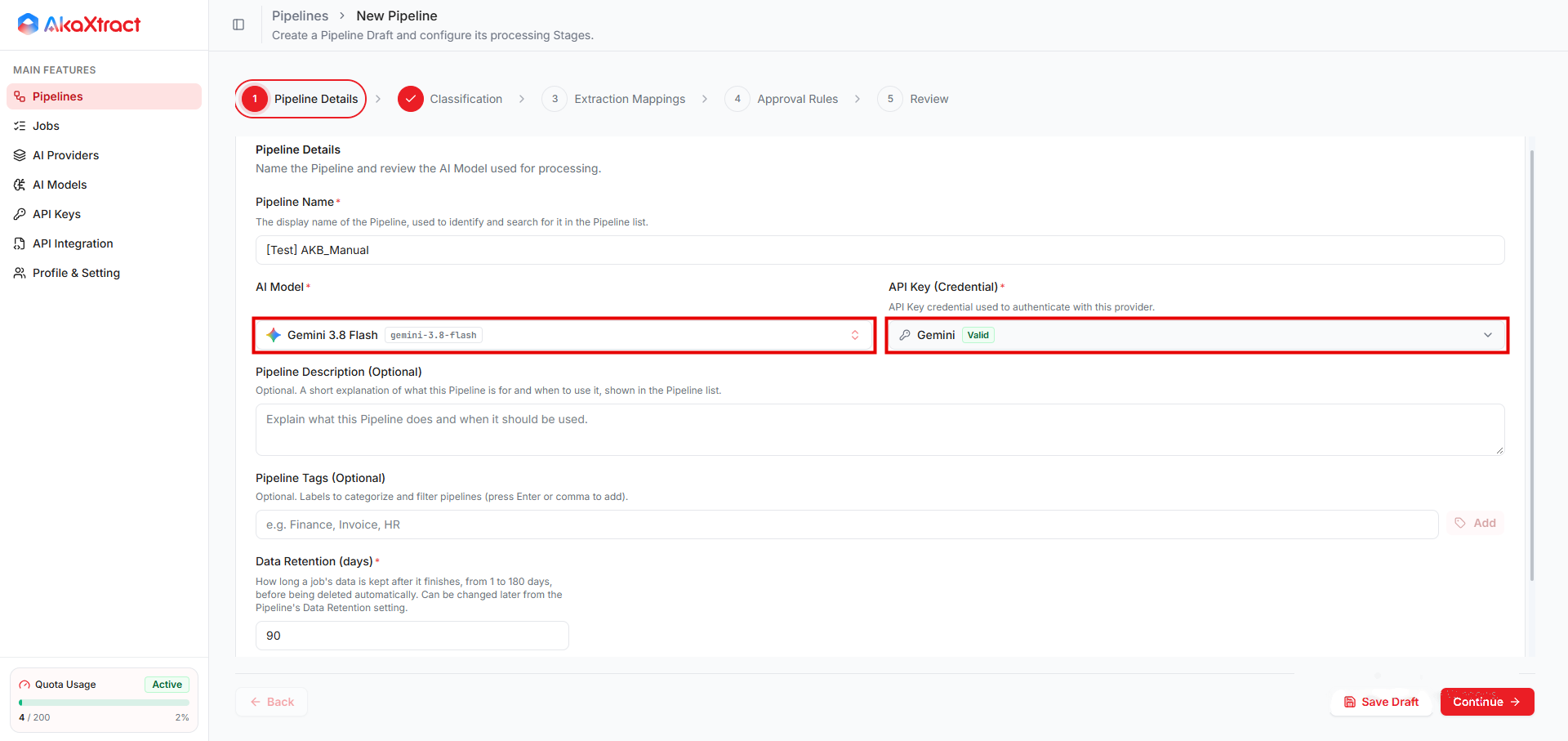
| 1. Pipeline Details | Pipeline Name(一意、200 文字まで)、AI Model、任意の説明(500 文字まで)とタグ、Data Retention (days) | 選択した AI モデルが、その Pipeline の文書を処理します。データ保持期間は 1~180 日で、既定は 90 日です。他のプロバイダーのモデルには、API Key (Credential) で AI キーが必要です |
| 2. Classification | Classification Prompt と Classification JSON Schema | 任意です。文書タイプの見分け方とページのグループ化の方法を AI に指示します。プロンプトを入力した場合は、スキーマも入力してください。文書タイプが 1 つだけの Pipeline では、両方を空のままにできます。文書タイプが複数ある場合は、AI が抽出するタイプを判別できるように分類を設定してください。既定のテンプレートから始めると便利です |
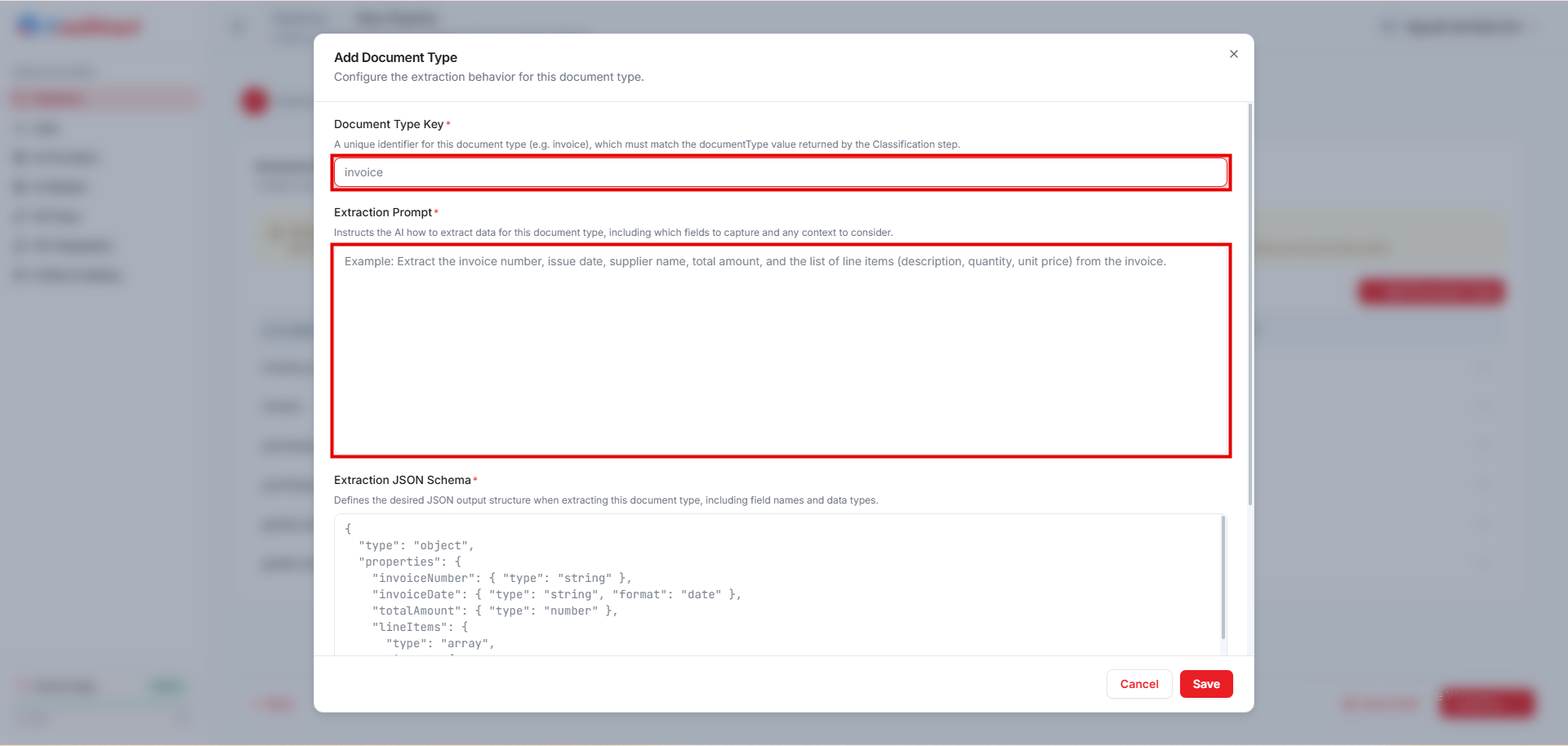
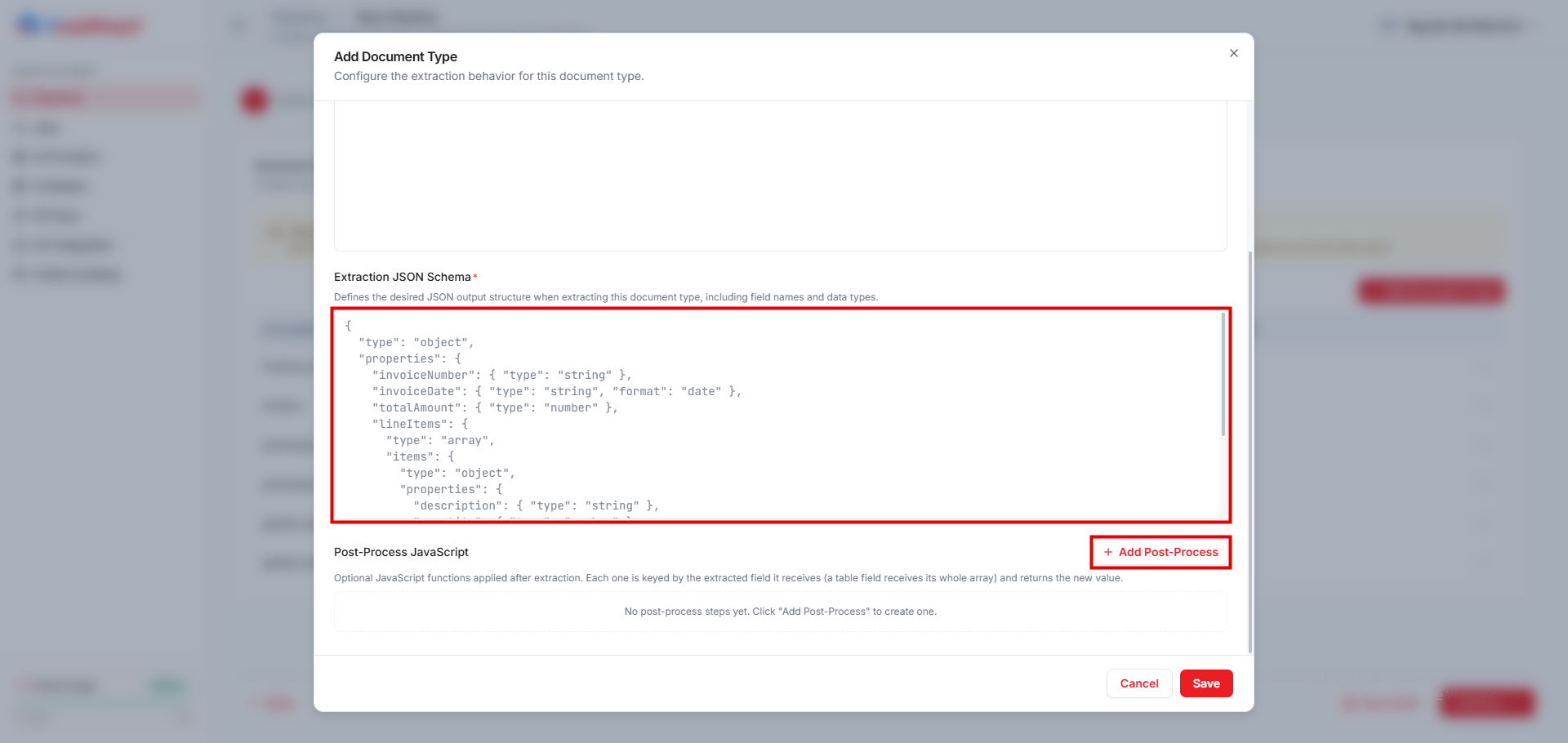
| 3. Extraction Mappings | 文書タイプごとに 1 件:Document Type Key、Extraction Prompt、Extraction JSON Schema、任意の後処理 | 請求書、発注書、入荷伝票のテンプレートが用意されています |
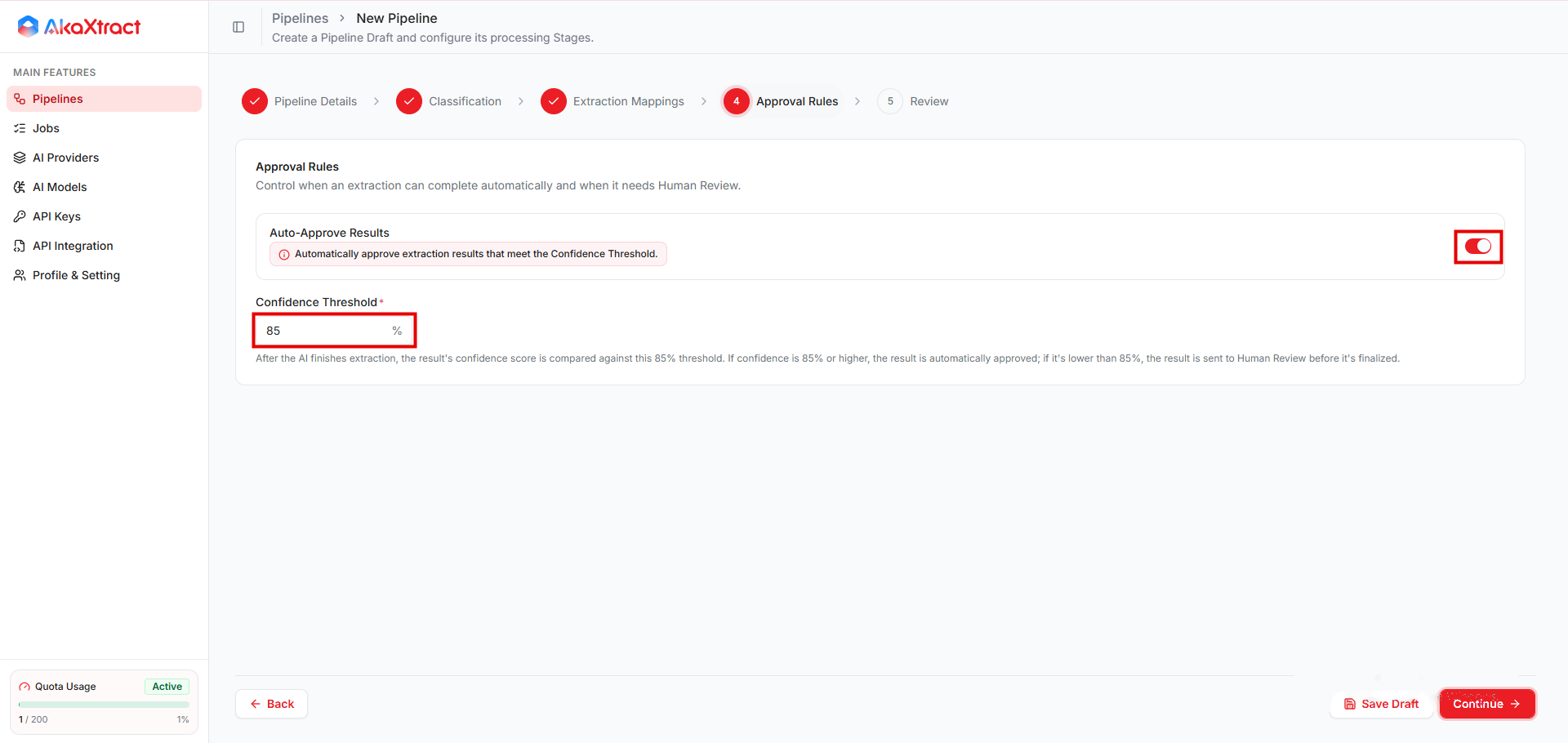
| 4. Approval Rules | Auto-Approve Results と Confidence Threshold | 承認ルールを参照してください |
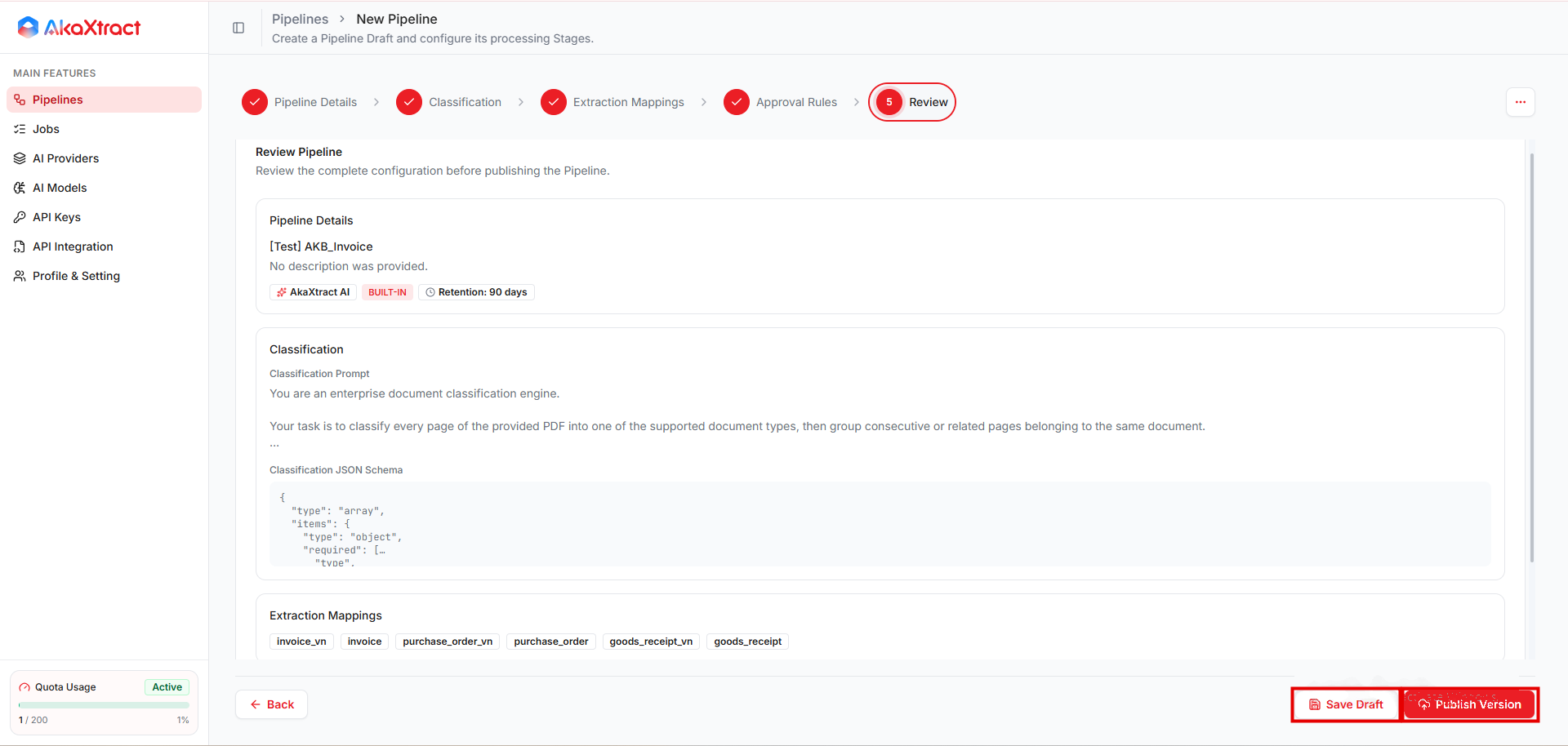
| 5. Review | 設定内容を確認し、Save Draft または Publish Version を選択します | Draft は、公開するまで文書を受け付けません |
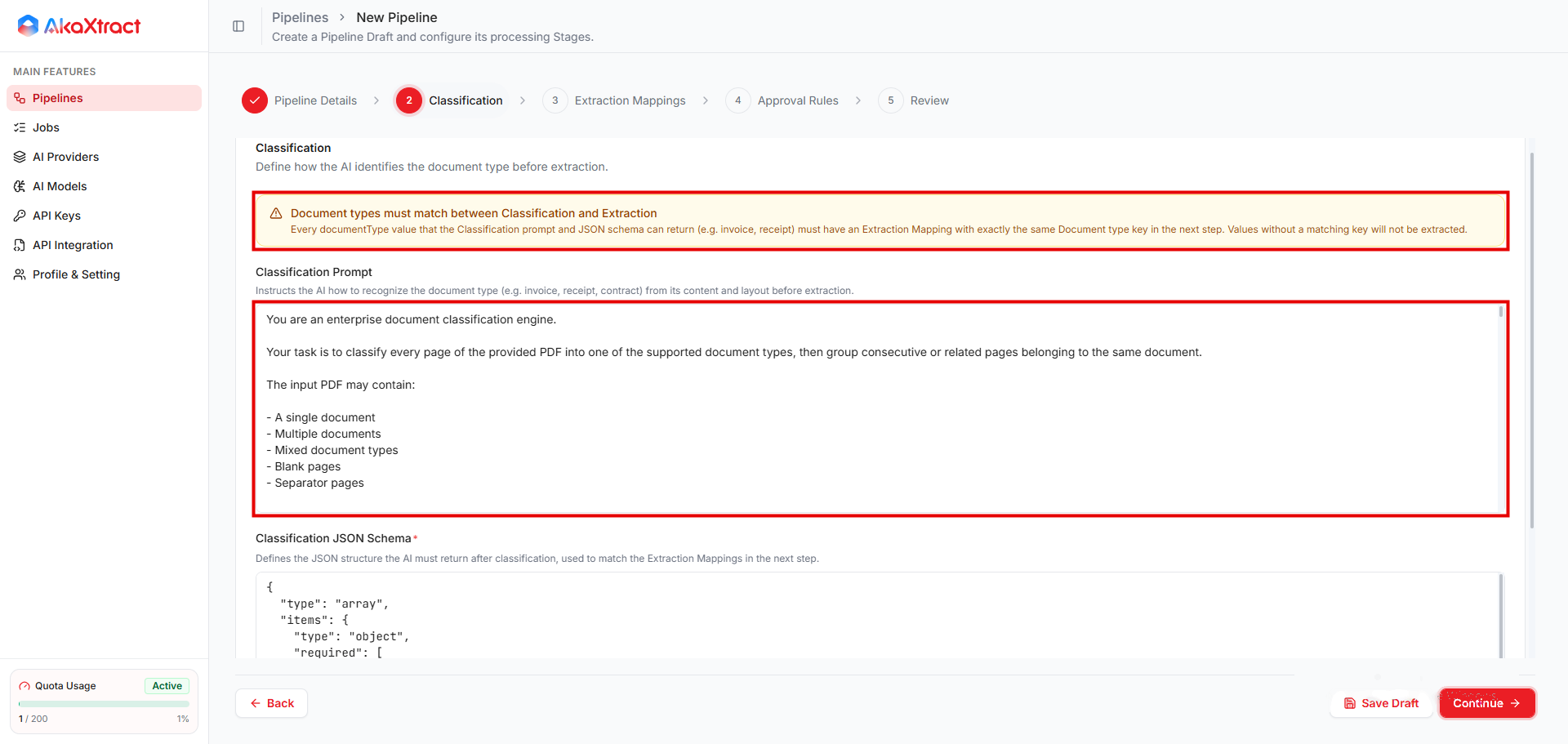
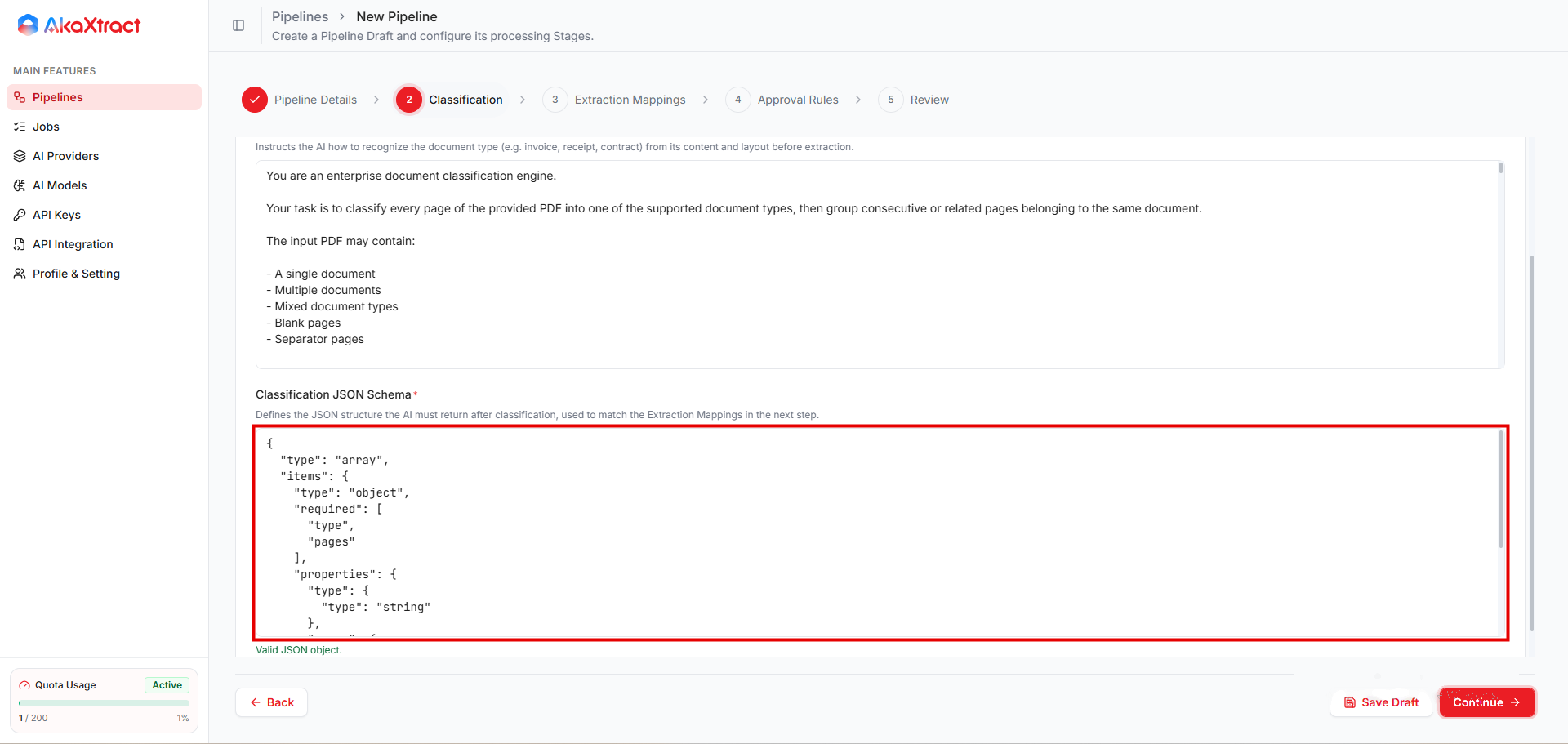
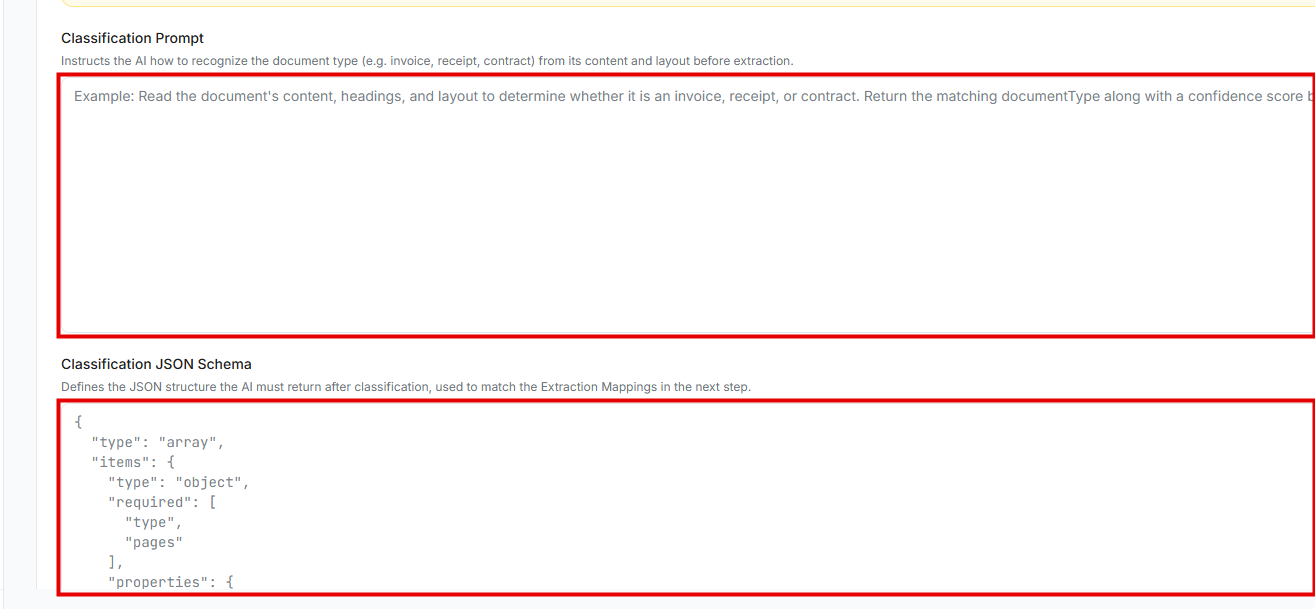
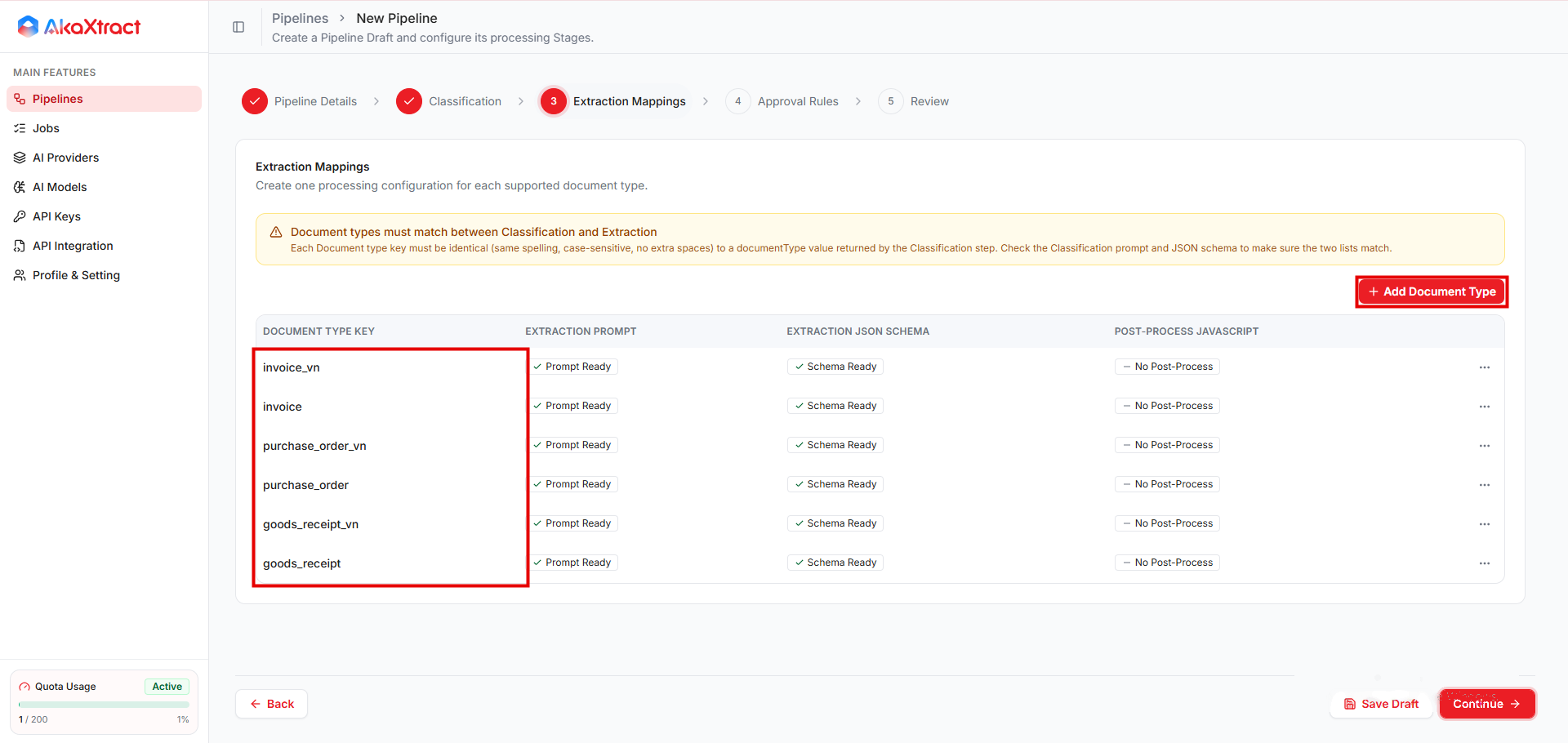
各 Document Type Key は、分類が返すタイプと完全に一致している必要があります(綴り、大文字と小文字の区別、余分な空白がないこと)。対応するキーがないタイプは抽出されません。
抽出プロンプトとスキーマ。 プロンプトには、抽出するフィールド、値が欠けている場合の扱い、表の読み取り方を記述します。スキーマは、フィールドとそのデータ型を列挙した JSON オブジェクトです。
後処理(任意)。 JavaScript の関数で、抽出後に 1 つのフィールドの値を変更します。関数はフィールド名ごとに 1 つです。関数は、そのフィールドの抽出値(表のフィールドの場合は配列全体)を受け取り、新しい値を返します。プロセス責任者が承認したコードを使用してください。Python による後処理は実行されなくなりました。
承認ルール
| 条件 | 結果 |
|---|---|
Auto-Approve Results がオフ | レビュー担当者がすべての結果を確認します |
| 信頼度がしきい値以上で、データがあり、警告がない | 結果は自動的に完了します:Document は Confirmed、Job は Completed |
| 信頼度がしきい値未満または未取得、警告がある、またはデータが抽出されなかった | レビュー担当者が結果を確認します |
しきい値は 0~100 のパーセンテージで、既定は 85 です。自動承認は既定でオンです。
重要なデータについては、Pipeline を検証している間は自動承認をオフにしてください。
次のステップ
実際の文書をアップロードする前に、Pipeline をテストして公開します。
参考:既定の分類テンプレート
新しい Pipeline には、次の既定の Classification Prompt と Classification JSON Schema が設定されています。抽出したい文書タイプ(invoice、purchase_order など)ごとに、まったく同じキーの Extraction Mapping が必要です。other タイプには、既定では Extraction Mapping がないため、該当するページは抽出されません。タイプの一覧は、お使いの文書に合わせて編集してください。既定の一覧には、国際版とベトナム版(_vn)の両方のバリエーションが含まれます。
既定の Classification Prompt
You are an enterprise document classification engine.

Your task is to classify every page of the provided PDF into one of the supported document types, then group consecutive or related pages belonging to the same document.

The input PDF may contain:

- A single document
- Multiple documents
- Mixed document types
- Blank pages
- Separator pages

--------------------------------------------------
Supported document types
--------------------------------------------------

invoice_vn

Commercial invoice requesting payment for goods or services (Vietnamese invoice).

Typical indicators:

- Invoice
- Tax Invoice
- Commercial Invoice
- Hóa đơn
- Hóa đơn GTGT
- Hóa đơn điện tử
- Invoice Number
- Invoice Date
- Due Date
- Total Amount
- Amount Due
- VAT
- Tax
- Payment Terms

--------------------------------------------------

invoice

Commercial invoice requesting payment for goods or services (International invoice).

Typical indicators:

- Invoice
- Tax Invoice
- Commercial Invoice
- Bill
- Invoice Number
- Invoice Date
- Due Date
- Total Amount
- Amount Due
- VAT
- Tax
- Payment Terms

--------------------------------------------------

purchase_order_vn

Purchase Order issued by a buyer requesting goods or services from a supplier (Vietnamese purchase order).

Typical indicators:

- Purchase Order
- PO
- PO#
- Purchase Order No
- Đơn đặt hàng
- Số PO
- Order Date
- Requested Delivery Date
- Buyer
- Supplier
- Vendor
- Ship To
- Requestor

A Purchase Order is created BEFORE goods are delivered and BEFORE an invoice is issued.

--------------------------------------------------

purchase_order

Purchase Order issued by a buyer requesting goods or services from a supplier (International purchase order).

Typical indicators:

- Purchase Order
- PO
- PO#
- Purchase Order No
- Order Date
- Requested Delivery Date
- Buyer
- Supplier
- Vendor
- Ship To
- Requestor

A Purchase Order is created BEFORE goods are delivered and BEFORE an invoice is issued.

--------------------------------------------------

goods_receipt_vn

Document confirming that goods have been physically received (Vietnamese goods receipt).

Typical indicators:

- Goods Receipt
- Goods Receipt Note
- GR
- GRN
- Goods Receipt No
- Phiếu nhập kho
- Phiếu nhập
- Warehouse Receipt
- Received Quantity
- Actual Quantity
- Posting Date
- Receipt Date
- Đơn vị giao
- Đơn vị nhận

A Goods Receipt confirms receipt of goods, not payment.

--------------------------------------------------

goods_receipt

Document confirming that goods have been physically received (International goods receipt).

Typical indicators:

- Goods Receipt
- Goods Receipt Note
- GR
- GRN
- Goods Receipt No
- Warehouse Receipt
- Received Quantity
- Actual Quantity
- Posting Date
- Receipt Date
- Delivering Party / Supplier
- Receiving Party / Consignee

A Goods Receipt confirms receipt of goods, not payment.

--------------------------------------------------

other

Any document that is NOT one of the above.

Examples include:

- Delivery Note
- Packing List
- Credit Note
- Debit Note
- Statement
- Receipt
- Email
- Cover Letter
- Contract
- Quotation
- Attachment
- Blank page
- Separator page
- Unknown document

--------------------------------------------------
Classification Rules
--------------------------------------------------

Classify documents by their PRIMARY purpose, not by referenced document numbers.

Examples:

- Invoice containing PO Number
→ invoice / invoice_vn

- Goods Receipt containing Invoice Number
→ goods_receipt / goods_receipt_vn

- Purchase Order containing supplier quotation
→ purchase_order / purchase_order_vn

Never classify based solely on keywords.

Use the overall document structure and business purpose.

--------------------------------------------------
Grouping Rules
--------------------------------------------------

Pages belonging to the same document MUST be grouped together.

Do NOT split one document into multiple objects.

If the document type changes, start a new object.

If the same document type appears later as a different document, create another object.

Example:

Page 1-2 : Invoice A

Page 3 : Purchase Order

Page 4-5 : Invoice B

Return

[
  {
    "type":"invoice_vn",
    "pages":[1,2]
  },
  {
    "type":"purchase_order_vn",
    "pages":[3]
  },
  {
    "type":"invoice_vn",
    "pages":[4,5]
  }
]

--------------------------------------------------
OUTPUT

Return ONLY a JSON array.

Do NOT return markdown.

Do NOT explain anything.

Output format:

[
  {
    "type":"invoice_vn",
    "pages":[1,2]
  },
  {
    "type":"purchase_order_vn",
    "pages":[3]
  },
  {
    "type":"goods_receipt_vn",
    "pages":[4,5]
  },
  {
    "type":"invoice",
    "pages":[6]
  },
  {
    "type":"purchase_order",
    "pages":[7]
  },
  {
    "type":"goods_receipt",
    "pages":[8]
  },
  {
    "type":"other",
    "pages":[9]
  }
]
既定の Classification JSON Schema
{
  "type": "array",
  "items": {
    "type": "object",
    "required": [
      "type",
      "pages"
    ],
    "properties": {
      "type": {
        "type": "string"
      },
      "pages": {
        "type": "array",
        "items": {
          "type": "integer"
        }
      }
    }
  }
}